

Quick Start

The Parse endpoint converts documents into structured, LLM-ready formats. Use it to extract clean document content for downstream processing such as RAG pipelines, custom ingestion workflows, document extraction tasks, Agents, etc.

This quickstart will get you up and running with the Parse API in under 5 minutes to extract structured content that can be passed into your LLM/Agent as context or further processed.


What we’re going to parse

We’ll use a bank statement to demonstrate the Parse API.
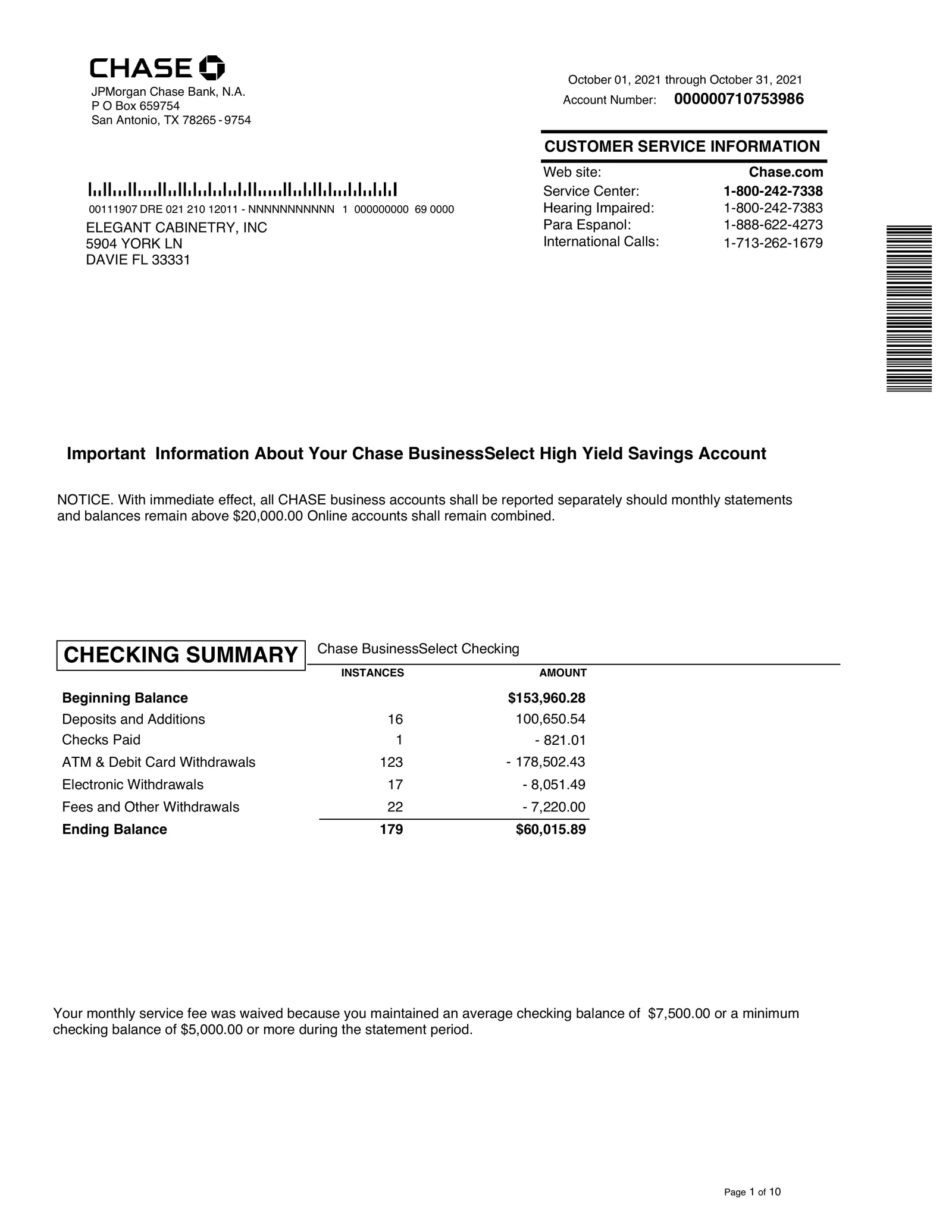
Bank statement page 1

Feel free to use this document to follow along with the quickstart!

Using the Parse API

Choose your preferred language to get started. If you’re using an SDK, see installation instructions. For raw REST calls, you can use the built-in fetch API (Node.js 18+) or requests in Python.

Replace <YOUR_API_KEY> with your actual key, available on the Developers page, then run one of the examples below to parse the document.

1import { ExtendClient } from "extend-ai";
2
3const client = new ExtendClient({
4 environment: "https://api.extend.ai",
5 token: "<YOUR_API_KEY>",
6});
7
8const response = await client.parse({
9 file: {
10 fileName: "bank_statement.pdf",
11 fileUrl: "https://extend-public-files.s3.us-east-2.amazonaws.com/bank_statement_example.pdf",
12 }
13});
14
15console.log("Parsed content:", response);

Each example sends a document to the Parse API and returns structured content split into page-level chunks.

Note: this doesn’t set any configuration options, so the parser will use the default settings. For configuration details, see Configuration Options.

For high-volume production workloads, use asynchronous parsing. For more details, see Async vs. sync processing.

Example response (truncated)

After you run the code snippet above, you’ll see a response like this. This example response is truncated for brevity. The response is organized into chunks, which in this case are page-level units. Each chunk includes a formatted content string for the full page and a blocks array for block-level elements (like text, tables, and figures) with metadata and spatial data.

1{
2 "object": "parser_run",
3 "id": "parser_run_3f1j6I1gsw5k96xFiCnkM",
4 "fileId": "file_GzKUy0VDhHscv7tweODYb",
5 "metrics": { "pageCount": 7, "processingTimeMs": 8293 },
6 "status": "PROCESSED",
7 "config": { "engine": "parse_performance", "engineVersion": "1.0.0" },
8 "usage": { "credits": 14 },
9 "chunks": [
10 {
11 "id": "chunk_qncr8Txe-wYvmFjipXgMD",
12 "type": "page",
13 "content": "CHASE JPMorgan Chase Bank, N.A. P O Box 659754...", // ... more content
14 "metadata": { "pageRange": { "start": 1, "end": 1 } },
15 "blocks": [
16 {
17 "object": "block",
18 "id": "block_WNoJ0WbMj4pRW9MpMpUox",
19 "type": "text",
20 "content": "CHASE JPMorgan Chase Bank, N.A. P O Box 659754 San Antonio, TX 78265 - 9754",
21 "details": {},
22 "metadata": { "page": { "number": 1, "width": 612, "height": 792 } },
23 "polygon": [
24 { "x": 56.873, "y": 35.374 },
25 { "x": 162.173, "y": 35.215 },
26 { "x": 162.245, "y": 81.158 },
27 { "x": 56.938, "y": 81.317 }
28 ],
29 "boundingBox": { "left": 56.873, "top": 35.215, "right": 162.245, "bottom": 81.317 }
30 }
31 // ... more blocks
32 ]
33 },
34 { "id": "chunk_O3gS1z8_KaaCdgi5rDz5P", "type": "page", "content": "..." } // ... more content
35 // ... more chunks for remaining pages
36 ]
37}

Key fields

FieldWhat it contains
idParser run ID you can use to fetch results later.
fileIdThe Extend file identifier tied to this parse run.
statusProcessing state for the parse run (e.g., PROCESSED).
metrics.pageCountTotal pages processed in the document.
metrics.processingTimeMsEnd-to-end parsing time in milliseconds.
usage.creditsCredits consumed by this run.
chunksParsed content units (page, section, or document-level based on config).
chunks[].contentFormatted content string for the chunk.
chunks[].blocksBlock array with structured elements and their layout data.

For full request/response details, see the Parse File API reference.

Using Parsed Output

You can access the formatted content of each chunk or work with individual blocks for more control.

1// Access the formatted content of each chunk
2response.chunks.forEach((chunk, index) => {
3 console.log(`Page ${index + 1}:`, chunk.content);
4});
5
6// Or work with individual blocks for more control
7response.chunks.forEach(chunk => {
8 chunk.blocks.forEach(block => {
9 console.log(`${block.type}:`, block.content);
10 });
11});

For a deeper guide on how to use the output of this endpoint, see Response Format.


Using Extend Studio

You can also use Extend Studio UI to upload your document, configure the parser, and view the code to copy.
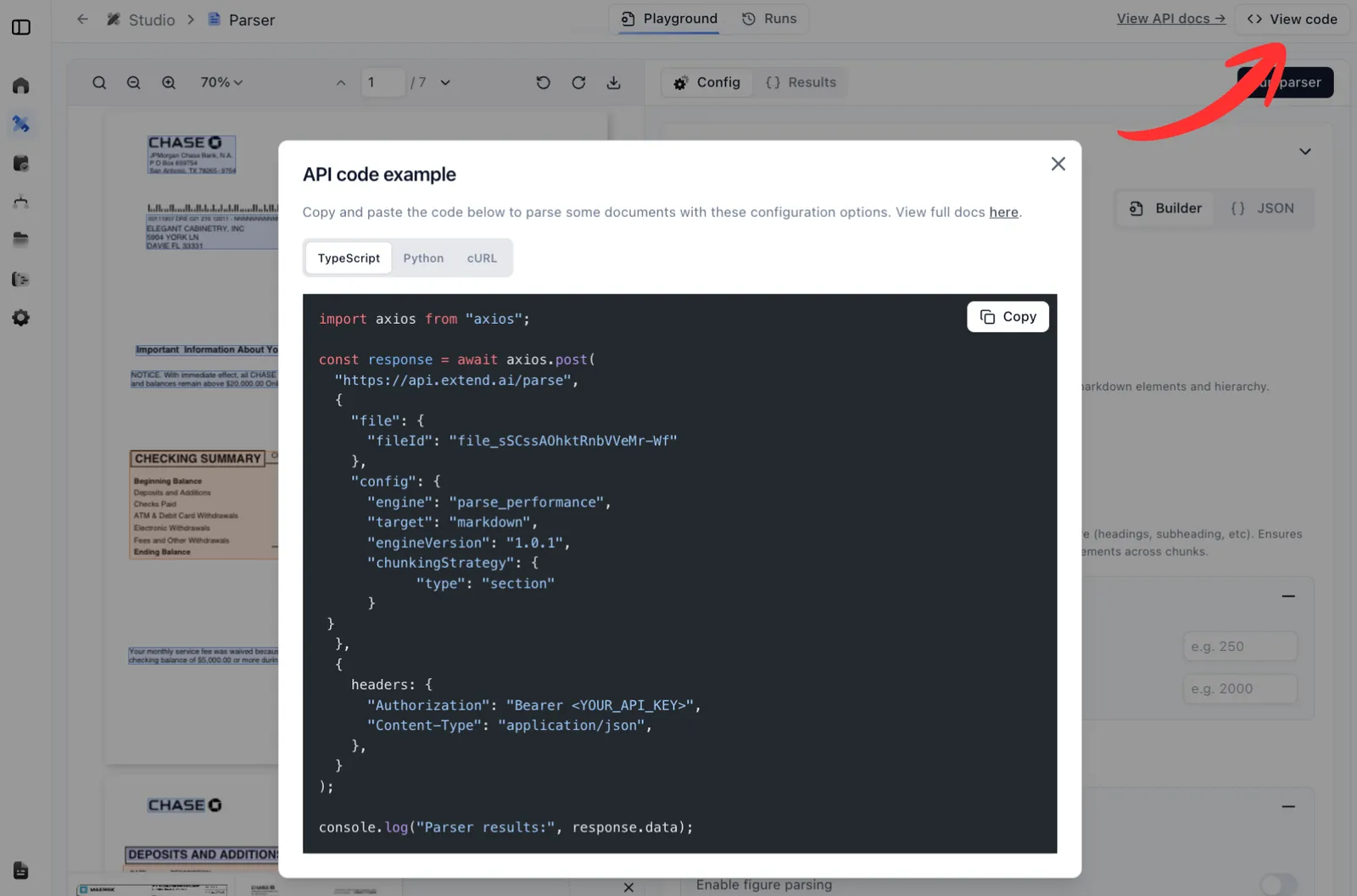
Parser view code

Here, you’re also able to go to the Config tab to edit the parser configuration and copy the JSON config.
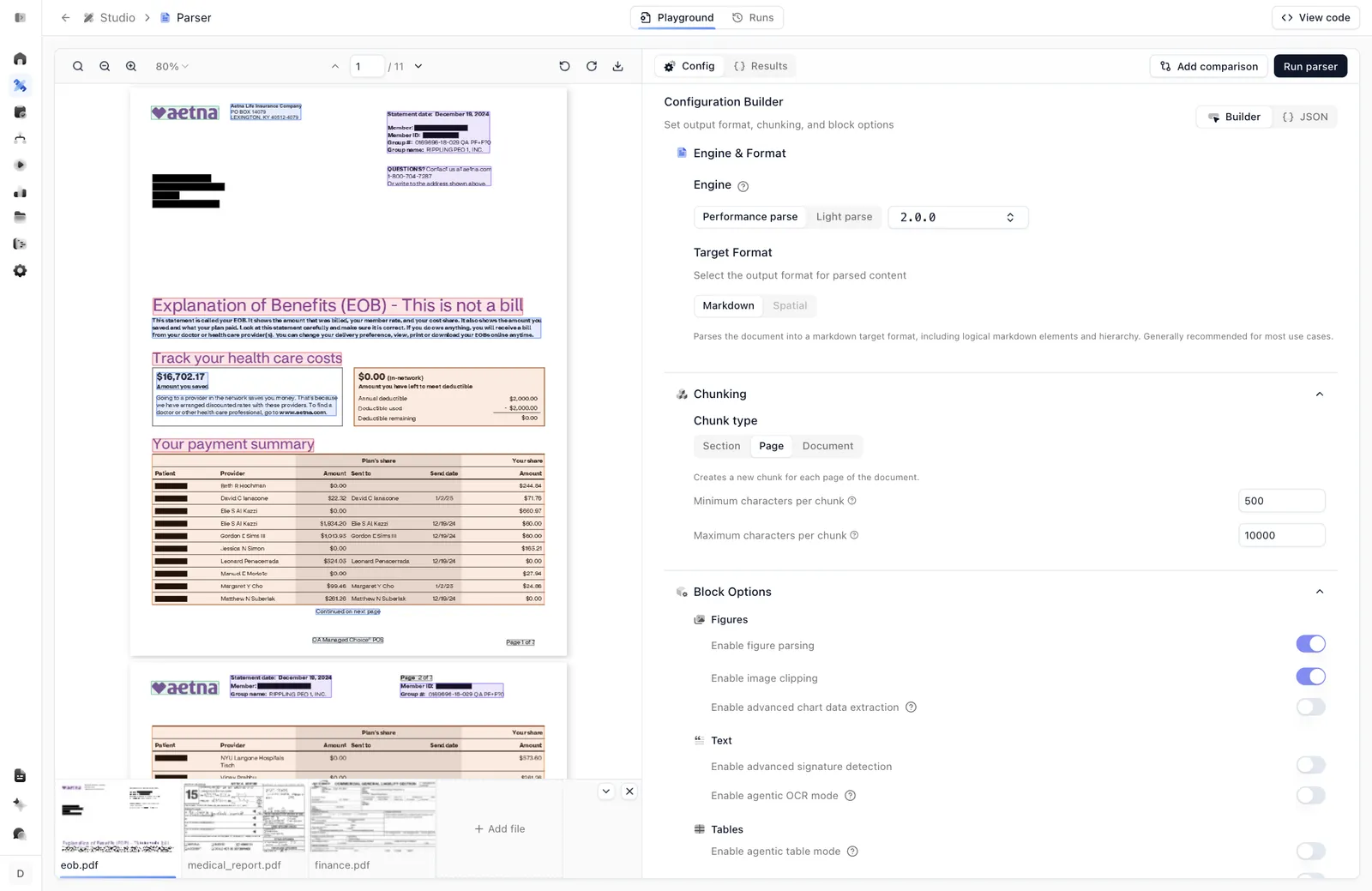
Parser config


Next steps