For AI agents: a documentation index is available at the root level at /llms.txt and /llms-full.txt. Append /llms.txt to any URL for a page-level index, or .md for the markdown version of any page.
GuidesAPI ReferenceChangelogModel Versioning
    • Getting Started
      • Supported File Types
      • How Credits Work
      • Rate Limits
      • User Roles and Permissions
      • Test Environment Guide
LogoLogo
On this page
  • Quick Start
  • How Extend Test Environments Work
  • Test API Keys
  • Test Webhooks
  • Workflow Testing
  • What You Can Do with Test Environments
  • Next Steps
General

Test Environment Guide

Was this page helpful?
Previous

Create a Workflow

Next
Built with

Test environments provide an isolated space to develop and test Extend integrations without affecting production data or triggering real webhooks. Use test mode to safely validate workflows before deploying to production.

Quick Start

  1. Enable Test Mode: Navigate to the Developers tab and enable “Test Environment”
  2. Generate Test API Key: Create a separate API key for test mode
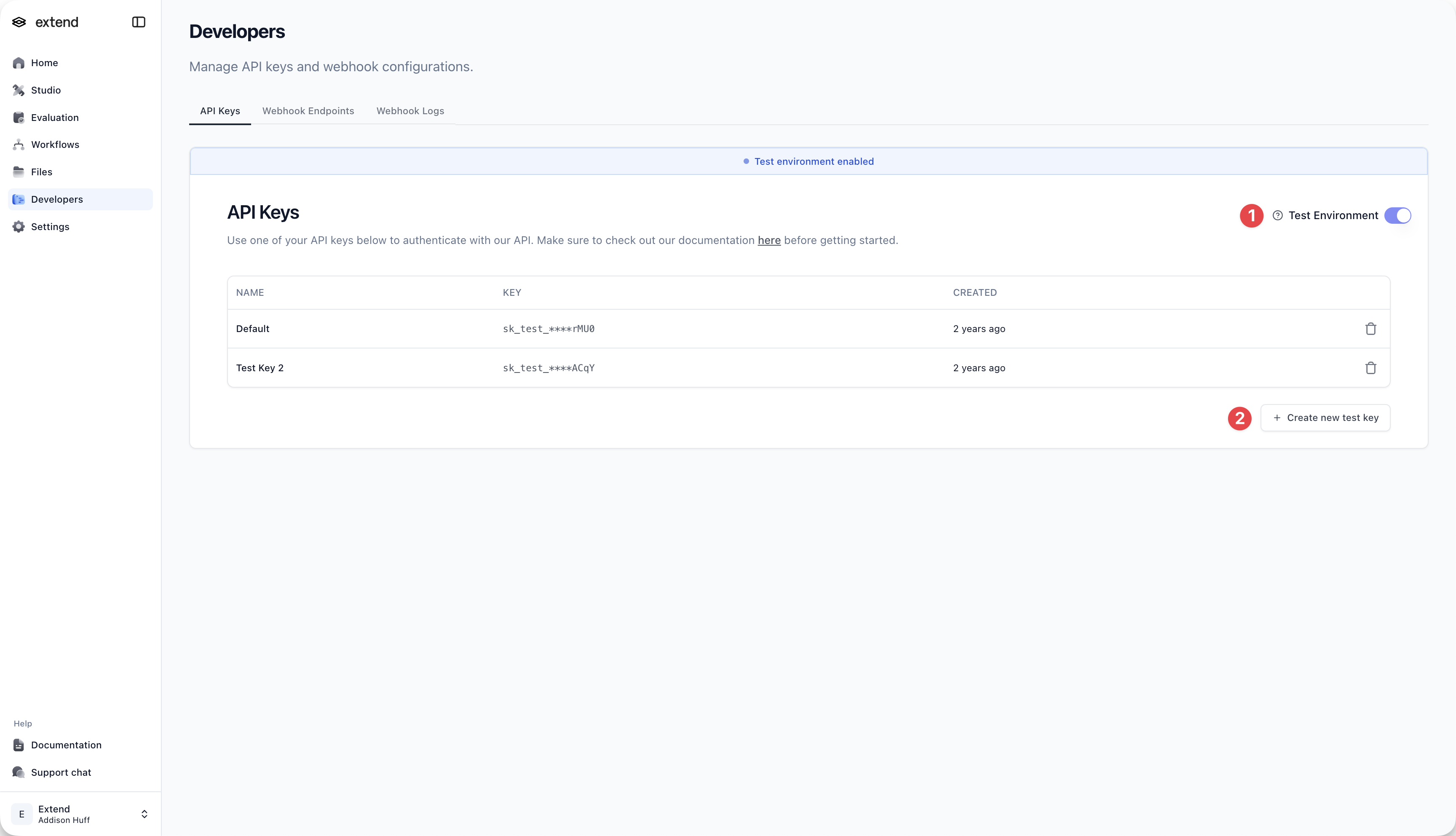
Test Environment Dashboard

  1. Configure Test Webhooks: Set up webhook endpoints to receive test events
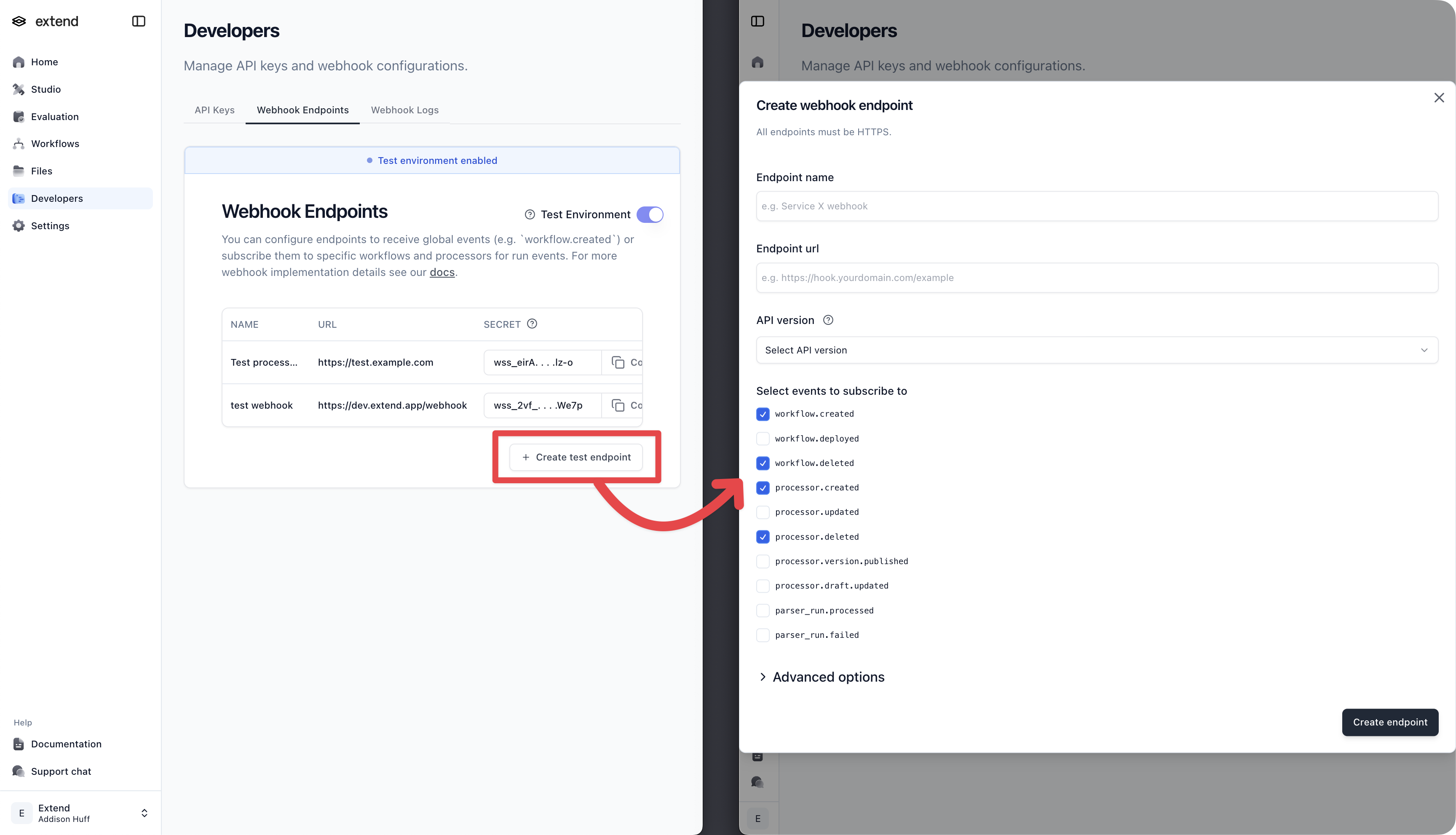
Webhook Configuration

  1. Subscribe Workflows: Connect your workflows to test webhook endpoints
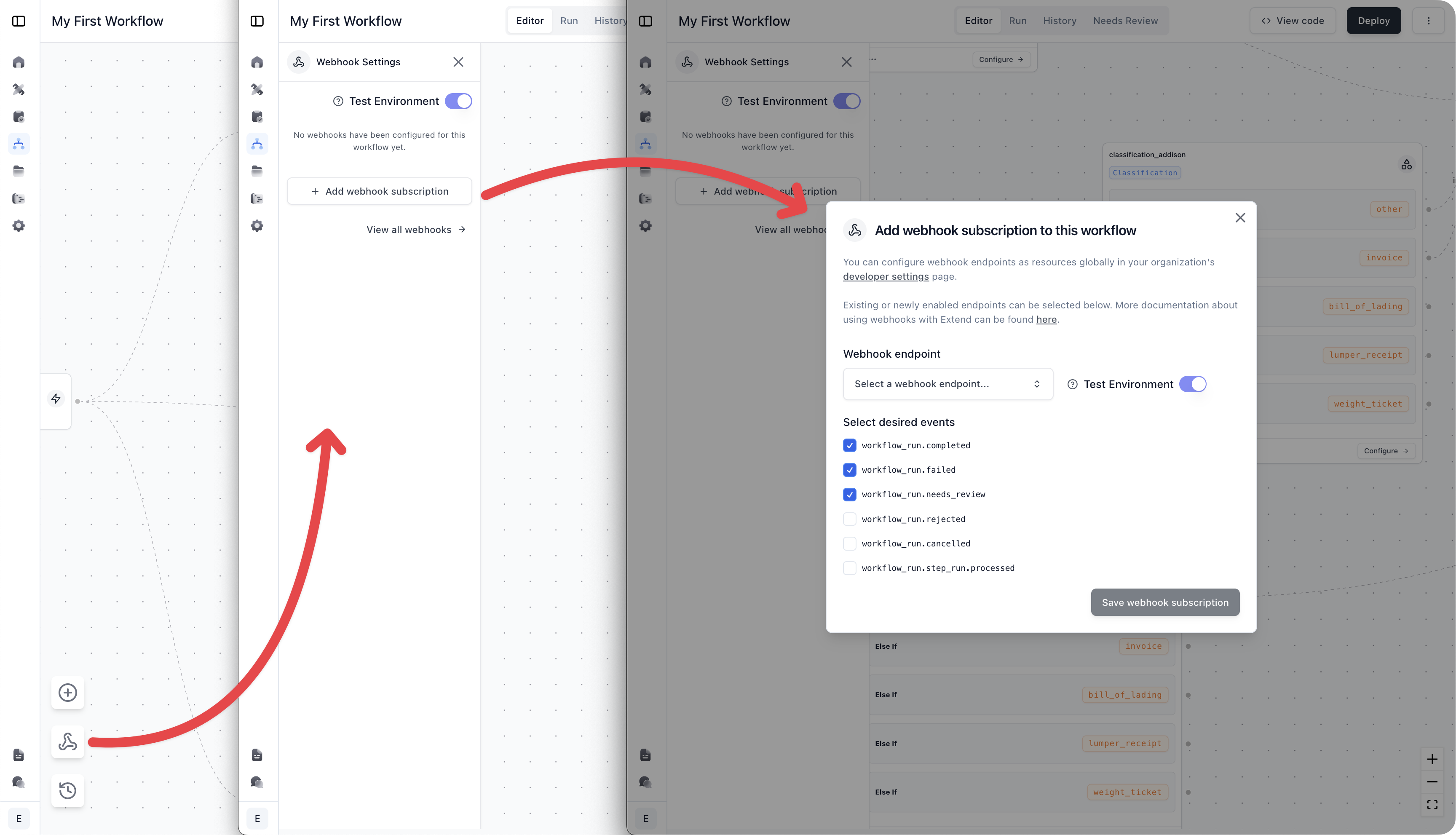
Workflow Subscription

How Extend Test Environments Work

Test API Keys

  • Generate dedicated API keys in Developer Settings for test mode
  • Test keys automatically route requests to the test environment

Test Webhooks

  • Create separate webhook endpoints for test mode
  • Subscribe workflows to test endpoints for isolated testing
  • Webhooks only receive events with test data

Workflow Testing

  • Workflow definitions are shared between test and production environments
  • Workflow runs and their data remain isolated to each environment
  • Toggle test mode in the UI to run workflows against test data

What You Can Do with Test Environments

ScenarioUse Case
Local DevelopmentEach developer uses their own test API key and webhook endpoints to avoid conflicts
Integration TestingValidate webhook flows and event handling without impacting production systems
Workflow ValidationTest workflow logic with sample data before production deployment
Partner CollaborationShare test access with external partners without exposing production data

Next Steps

  • Configure webhooks
  • Getting started with the API
  • Create your first workflow
