

Composer is an AI assistant that helps you improve your processor configurations in Extend, including extraction schemas, classifiers, splitters, and editing outputs in supported evaluation set workflows.
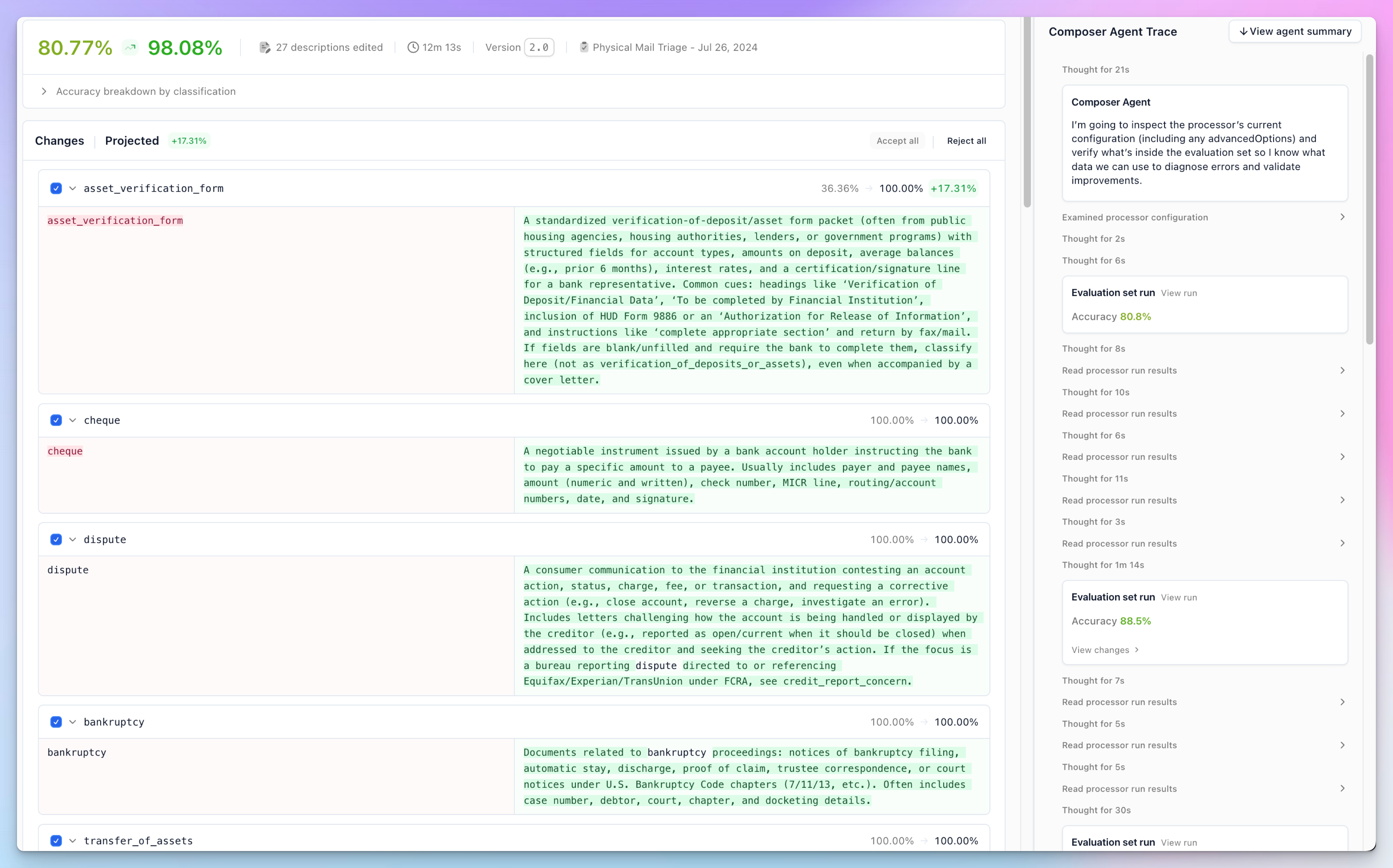
Composer is available for extraction, classification, and splitter configurations and can be run as a background agent to optimize your processor based on what it learns from your verified evaluation sets. It is also available in extractor evaluation sets as an editor assistant for migrating schemas or natural language editing.
Key benefits:
The Composer agent has access to the following tools to optimize your processor:
The background agent runs these processes in a loop (limited via “Max generation runs”) to find the best possible improvements.
Before running the Composer, ensure you have:
The quality of optimization results directly depends on the quality of your evaluation sets. Poor or unrepresentative ground truth data will lead to suboptimal or incorrect optimizations.
Your evaluation sets must have:
Before optimization:
Ensure your initial configuration clearly:
Before using Composer, publish your processor to create a new version. This will allow you to revert changes if you apply the updates, but the optimizations don’t perform as expected in production.
To run the background agent:
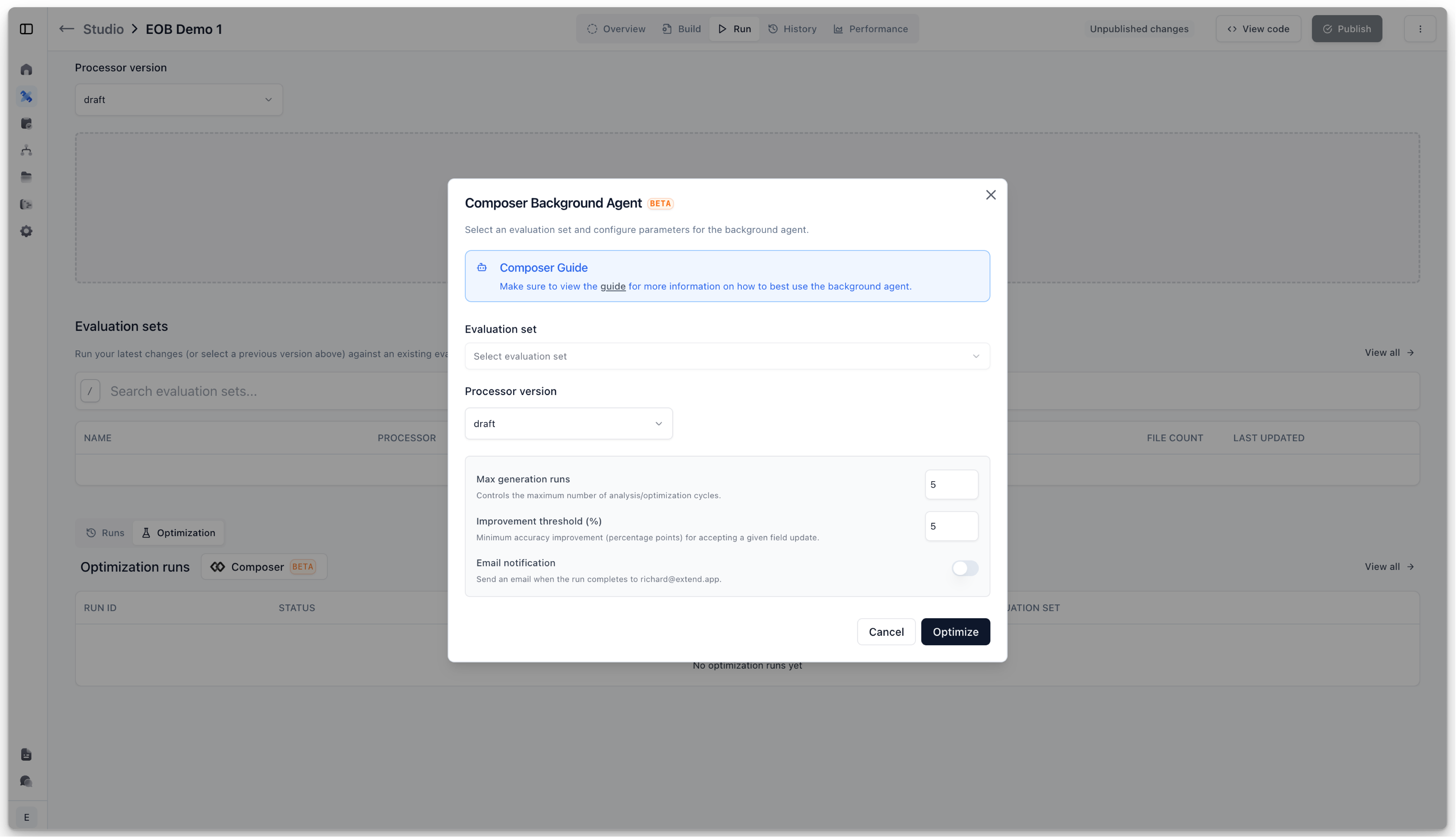
Choose an evaluation set that best represents your typical documents. Using a non-representative set may lead to optimizations that work well for the test data but poorly in production.
When the background agent completes, you’ll see a detailed view of proposed changes:
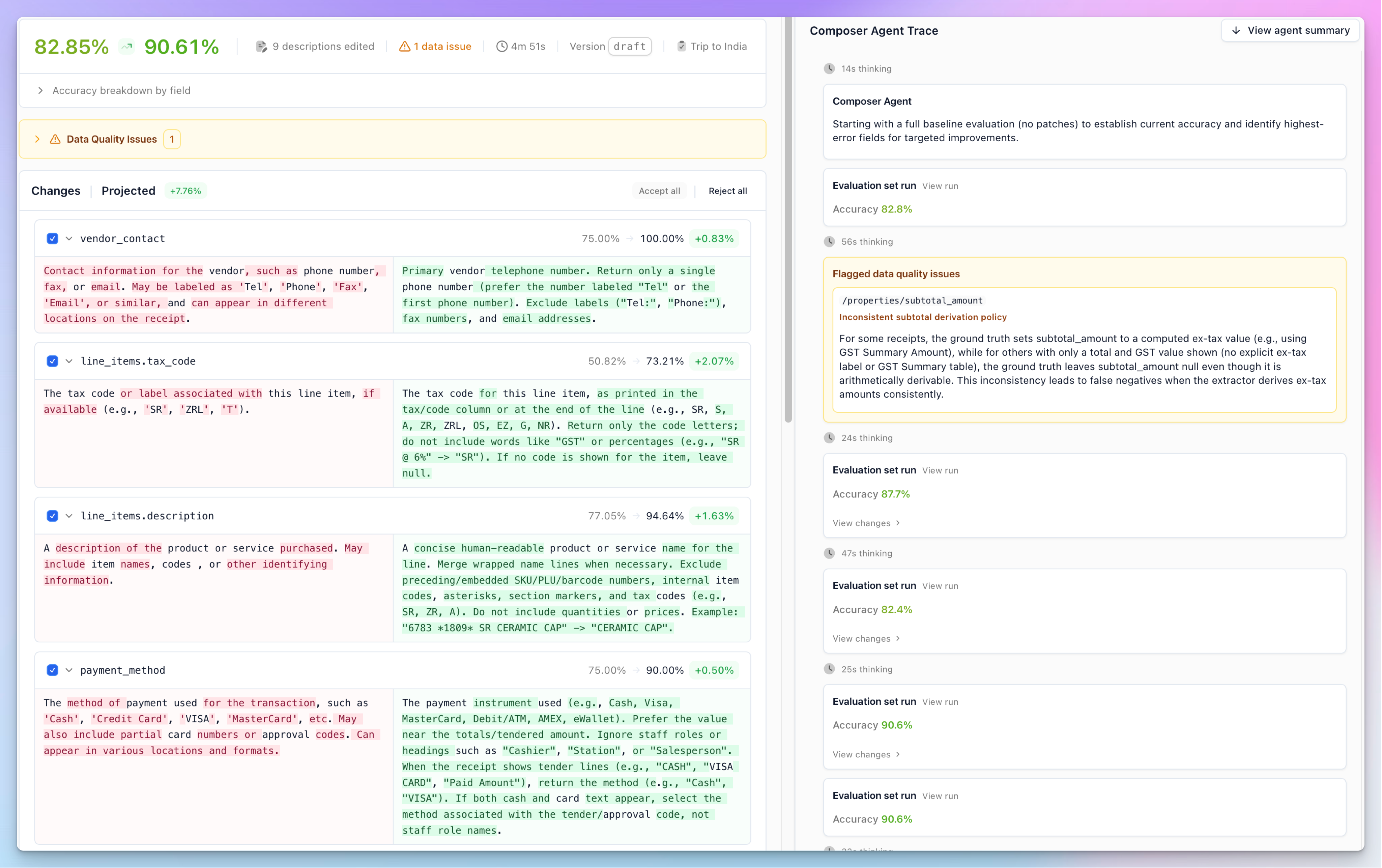
The results view shows:
After reviewing the proposed optimizations:
You can always revert changes by using the version history if the optimizations don’t perform as expected in production.
Composer is available in extractor evaluation sets as an editor assistant. It can help with schema drift and bulk editing of expected outputs.
Schema drift occurs when the latest version of a JSON schema extractor’s schema does not match the expected output in the eval set. A warning will appear in the files page of the evaluation set home page if schema drift is detected.
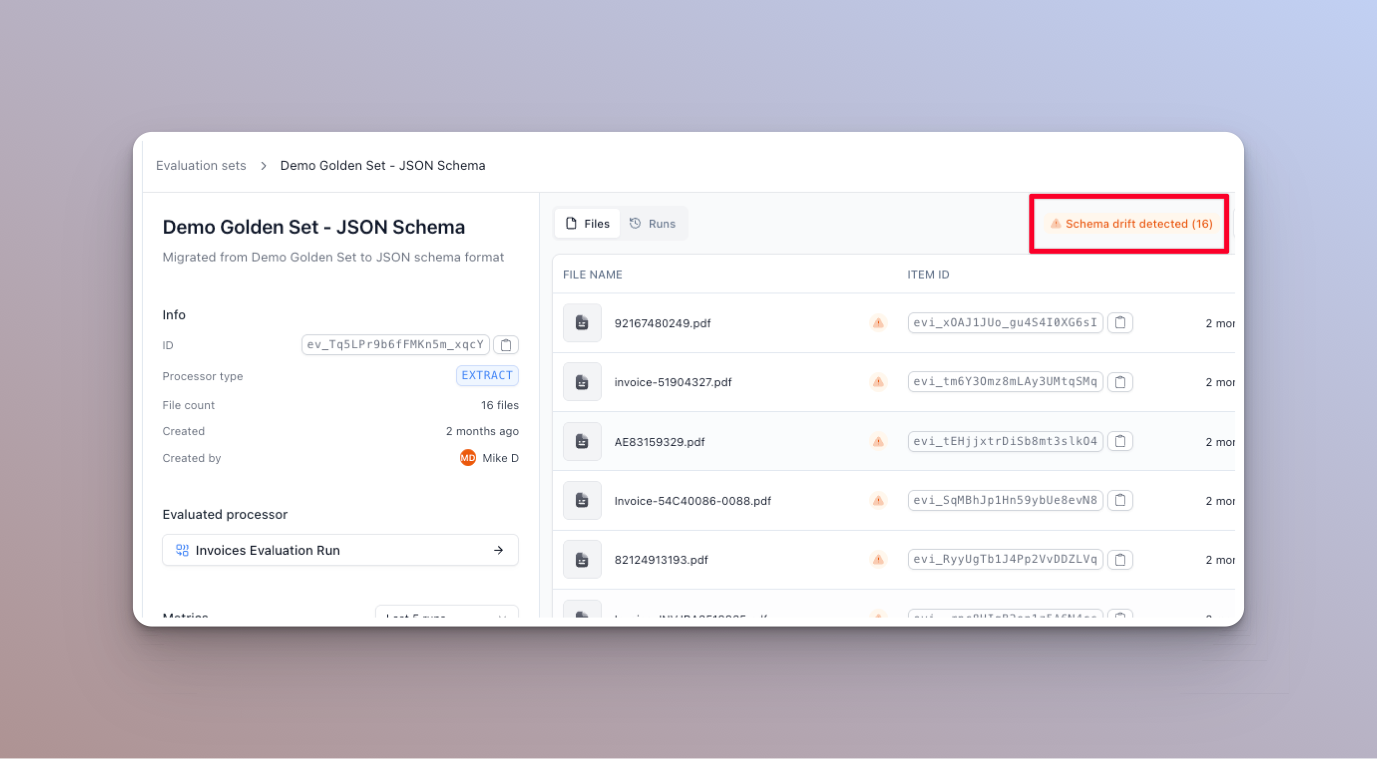
To attempt to automatically fix these issues, click on the warning. A dialog will appear where you can attempt to migrate schemas. You can also see the errors in the schema validation.
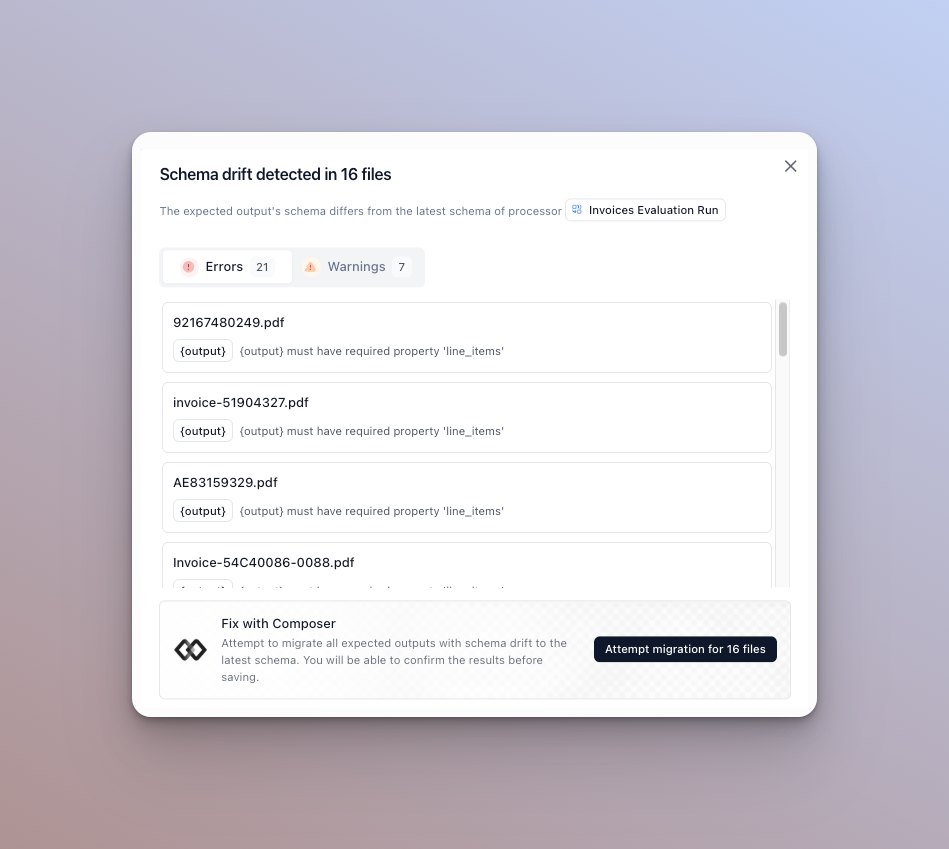
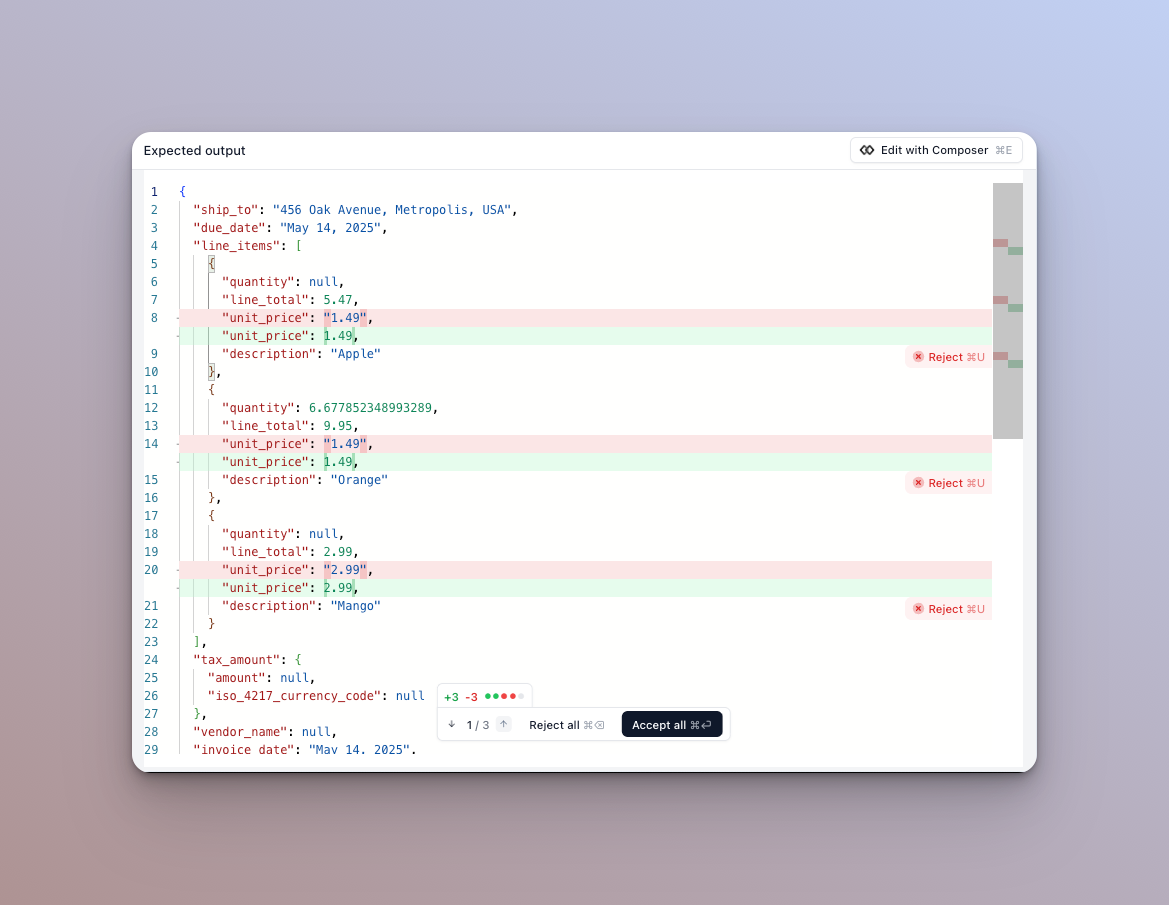
Once you click to start the migration, it will run in the background. When it’s done you can click into a file and it will show a diff of the proposed changes. You can accept or reject each edit, or reject all / accept all the edits.
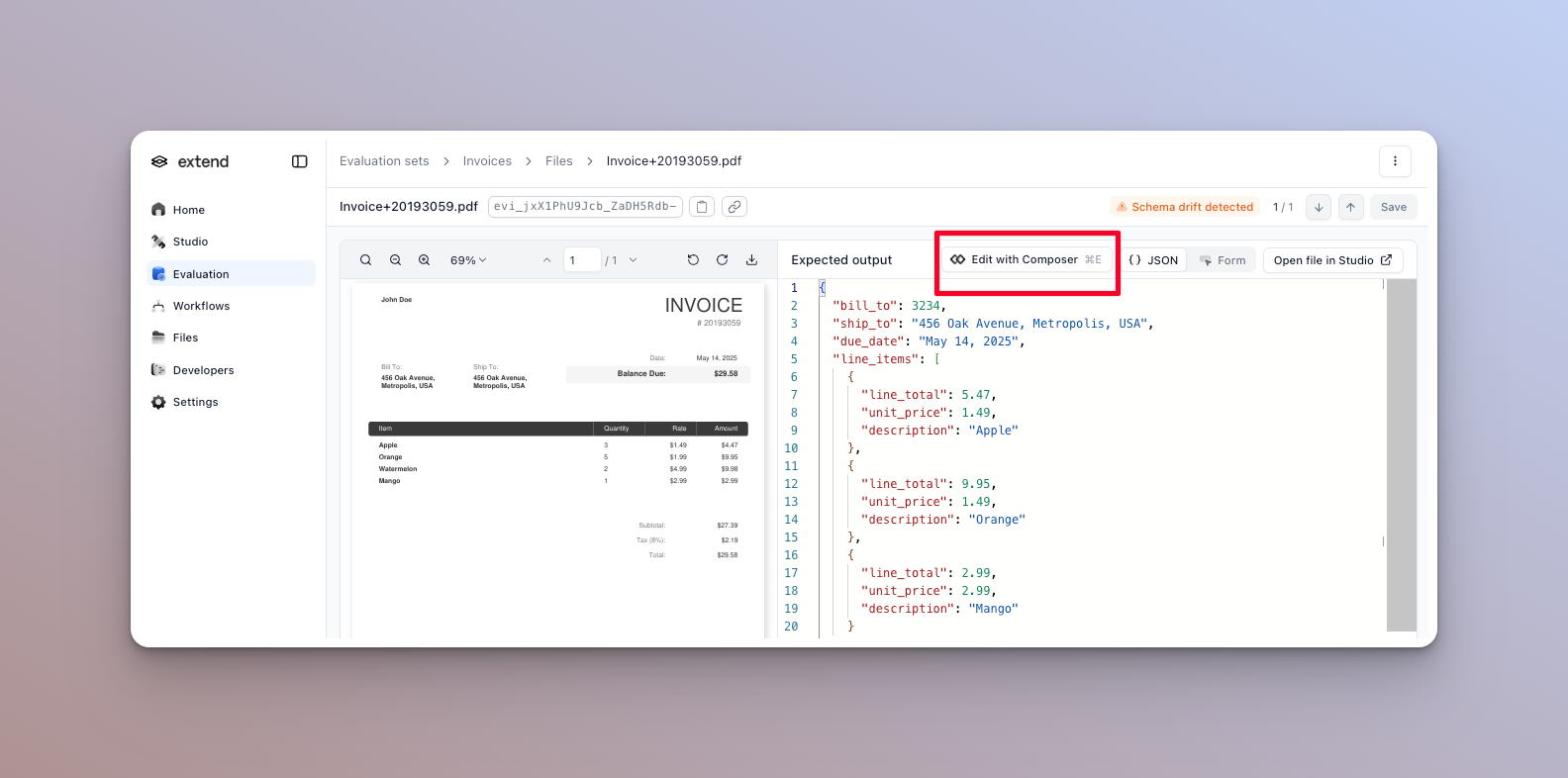
You can also use Composer within the editor to apply custom edits. This is useful for reformatting or general editing.
Current limitations of the Composer agent:
Optimization shows no improvements
Accuracy decreases after optimization
Optimization takes too long
Applied changes don’t improve production accuracy