

Latency Optimization
When processing high-volume documents or building real-time applications, latency becomes a critical factor. This guide provides the most impactful settings to reduce latency.
Many latency-sensitive settings involve trade-offs with accuracy for complex documents. See Configuration for detailed explanations of each setting.
Quick Reference
Use this checklist when optimizing for latency:
Advanced Options
- Use
extraction_lightfor simple document types (verify accuracy with evaluation sets) - Turn off model reasoning insights (
modelReasoningInsightsEnabled: false) - only needed for debugging - Disable advanced multimodal (
advancedMultimodalEnabled: false) - unless processing scans/handwritten content - Turn off bounding box citations (
citationsEnabled: false) - removes spatial location references
Extraction Chunking Options
- Limit page ranges if data is on specific pages
- Increase
pageChunkSizefor non-array extraction so the document fits in fewer chunks and skips merging - Use
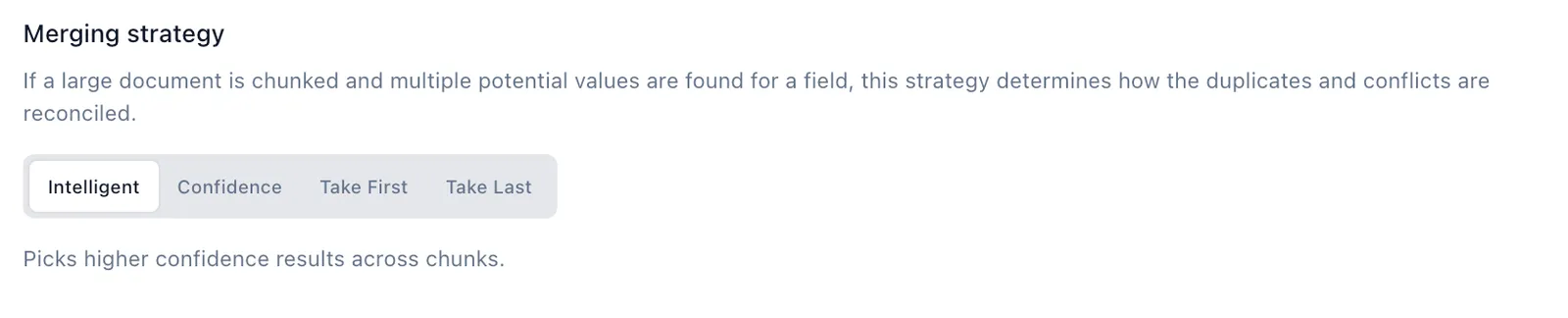
confidenceortake_firstmerging instead ofintelligent - Use
large_array_heuristicsarray strategy if processing large arrays
Parser Configuration
- Disable figure parsing - unless documents contain important charts/diagrams
- Disable formula parsing - unless documents contain mathematical equations
- Disable agentic OCR - unless processing handwritten/poor quality scans
Workflow
- Split into parallel extractors if you have both simple fields and complex arrays
Light Extraction
The biggest change you can make to reduce latency is selecting Extraction Light instead of the default Extraction Performance.
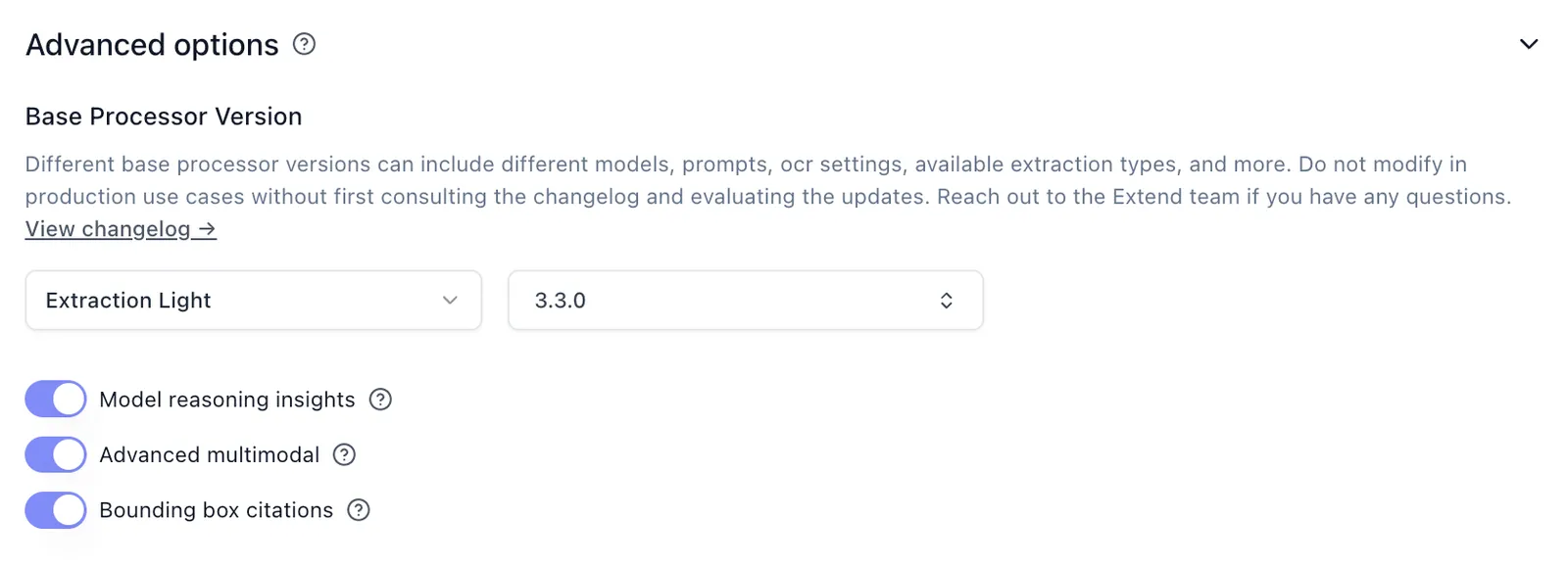
Extraction Light is faster and cheaper, but removes support for advanced visual features like figure parsing and signature detection. See the Extraction Light versioning page for details.
Disabling Advanced Options
Each of these options adds processing overhead. Disable what you don’t need:
Chunking Optimizations
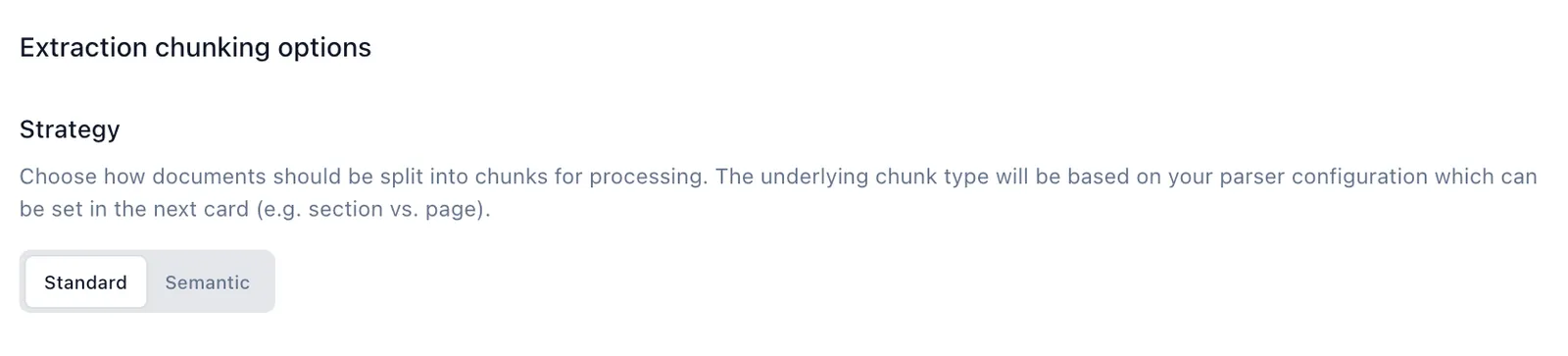
For non-array extraction: Increase pageChunkSize so the document fits in a single chunk, which skips intelligent merging entirely—the fastest option.
For large array extraction: Use large_array_heuristics array strategy with smaller chunk sizes.
Merging strategy: Switch from intelligent to confidence, take_first, or take_last to avoid extra processing overhead.
Disable Advanced Parsing Options
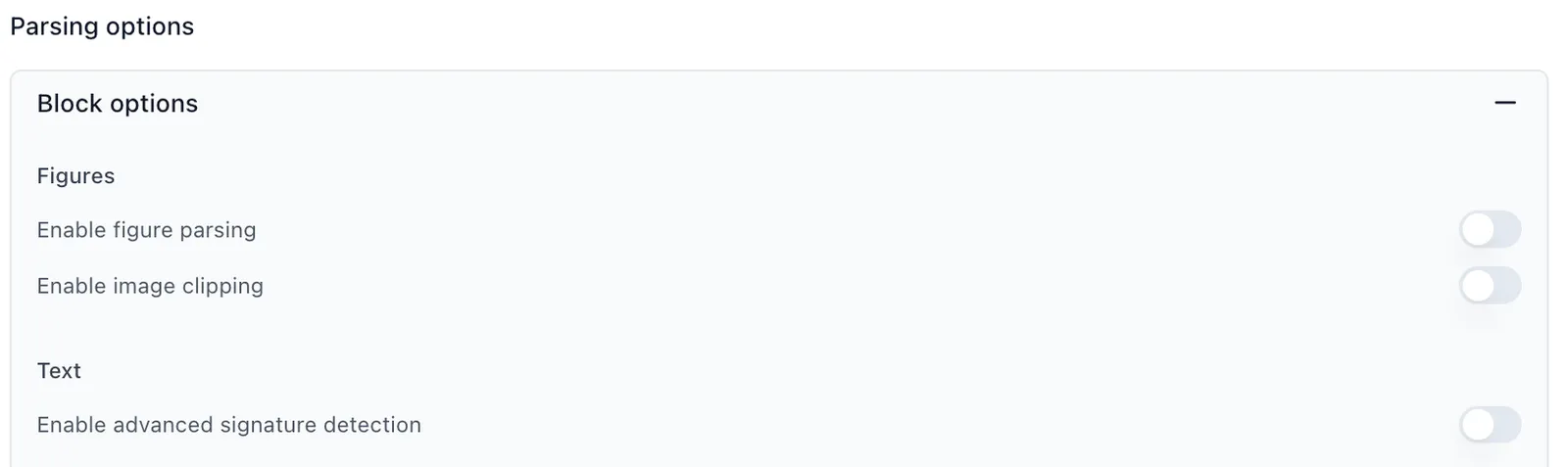
- Figure parsing - Disable unless documents contain important charts/diagrams
- Formula parsing - Disable unless documents contain mathematical equations
- Signature detection - Disable unless signature verification is needed
- Agentic OCR - Disable unless processing handwritten or poor-quality scans
Parallel Extractors
For large extractions or schemas, consider breaking a single extractor into multiple extractors that run in parallel within a Workflow. This is particularly effective when you have both simple top-level fields and complex array extractions.
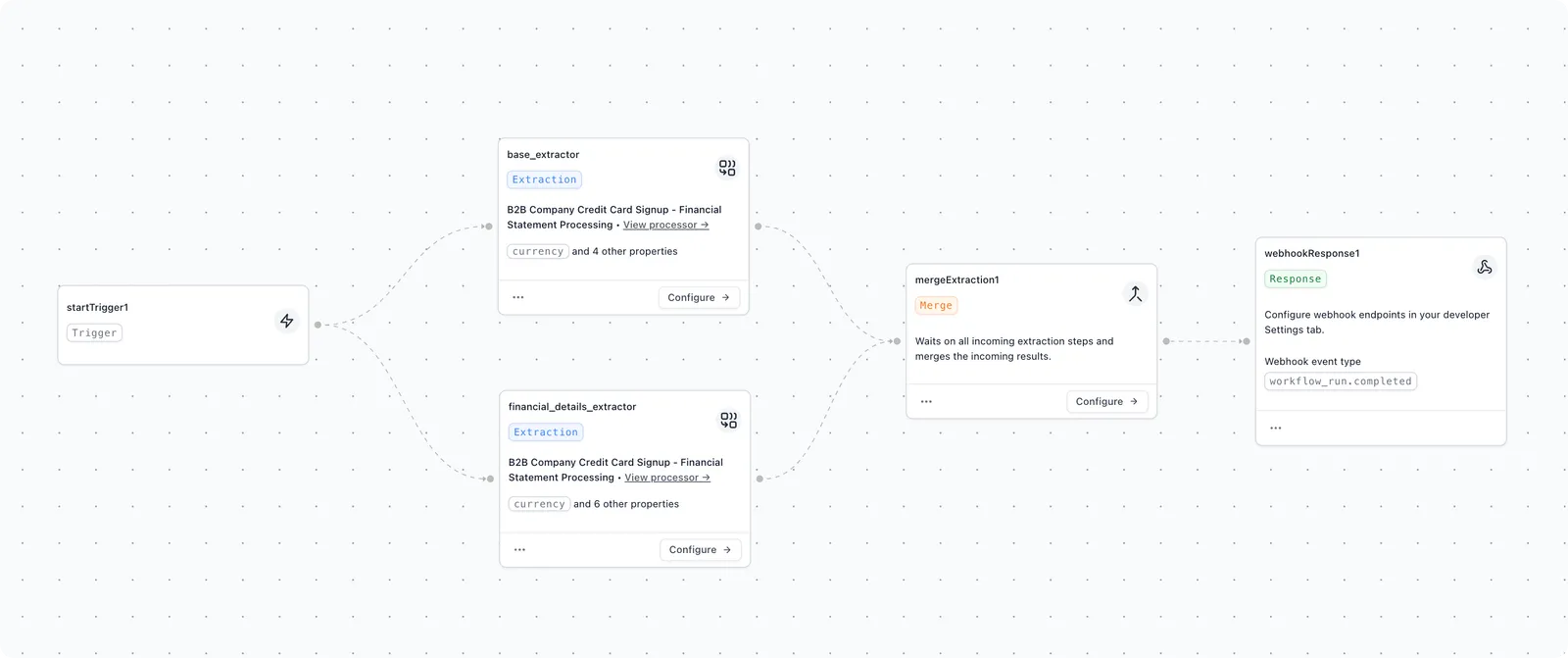
The workflow above splits a financial document into two parallel extractors — one for high-level fields and one for the line-item details — which run at the same time and are recombined in the workflow output.
Use when:
- Documents have both simple fields and complex arrays
- Array extraction is significantly slower than the other fields
- Total latency is critical to your use case
Related Topics
- See Configuration for detailed explanations of each setting
- Understand Field Names and Prompt Crafting for schema optimization
- Explore Evaluation Sets to validate accuracy when optimizing for speed