

Parse Auto, Agent Mode Extraction, MCP Server, Workflow Evals, and more

We’ve shipped a lot since our last roundup. August brings smarter parsing, agent-in-the-loop extraction, big Edit and form detection upgrades, a new way to use Extend from any AI client, and major improvements to evals:
- ⚡️ Parse Auto — Our new auto engine classifies difficulty and routes work per page: simple pages go to the lightweight pipeline while complex pages get performance-level treatment. Billed dynamically by page at 0.5–2 credits/page.
- ✏️ Edit Upgrades — Async form detection API, a new Controls model for better field detection on skewed and dense forms, and API-generated conditional form validations.
- 🔌 Extend MCP Server — Connect Cursor, Claude, Codex, and other AI clients directly to Extend and run your document workflows from chat.
- 🧪 Workflow Evals and Citation Evals — Evaluate entire workflows end-to-end, and now save/correct expected extraction bounding boxes with bbox overlap metrics in eval results.
- ✨ New Studio and Onboarding Experience — A redesigned dashboard and first-time experience to get you from sign-up to processed documents faster.
Let’s dive in!
Parse Auto
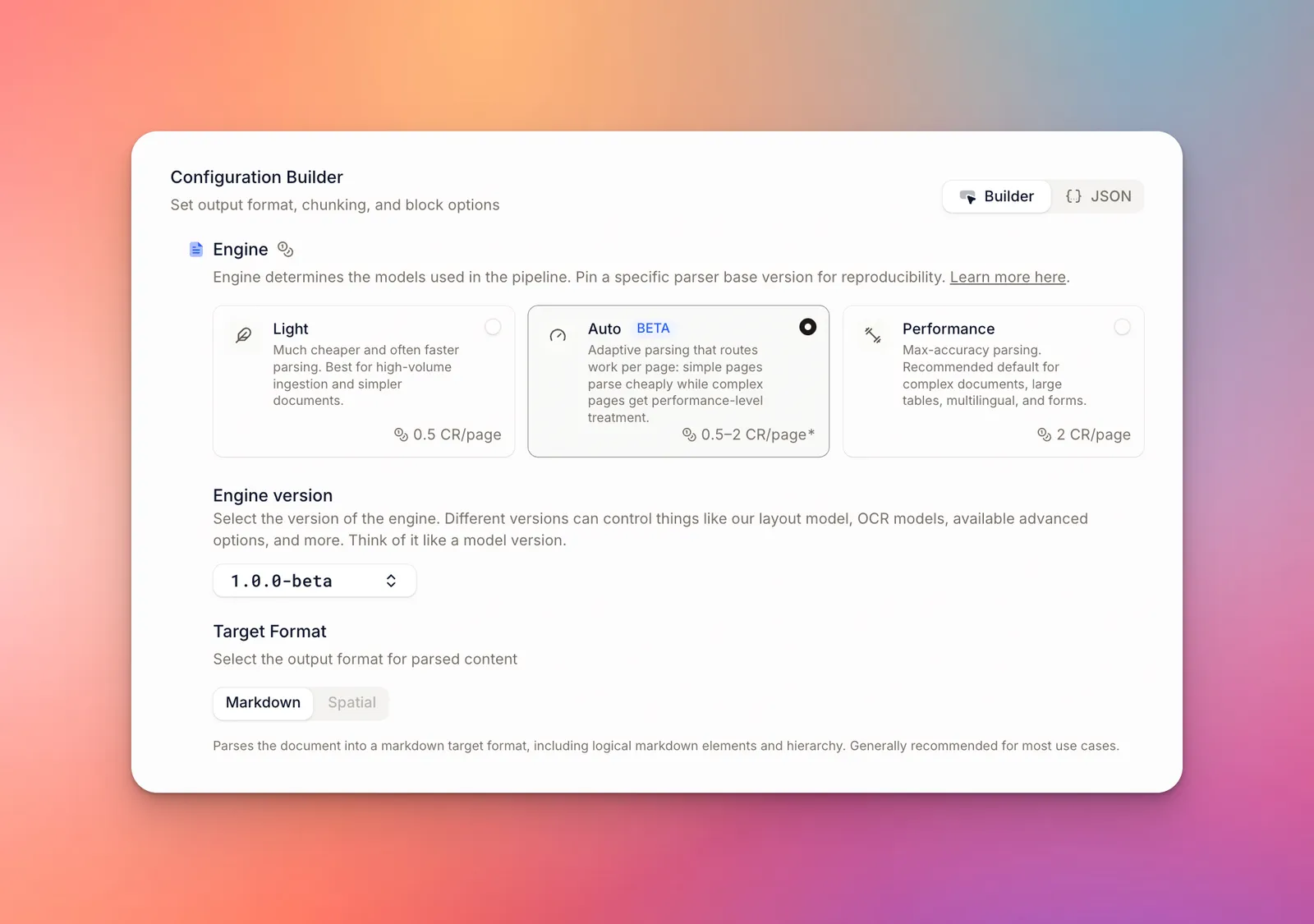
Don’t want to choose between Light and Performance? Our new Parse Auto engine classifies the difficulty of every page and routes it to the right pipeline: simple pages are parsed with the lightweight pipeline while complex pages get performance-level treatment.
You’re billed per page by complexity (0.5–2 credits per page), making it the best choice for mixed-complexity workloads where you don’t want to pick an engine per document, and want better amortized costs without compromising accuracy.
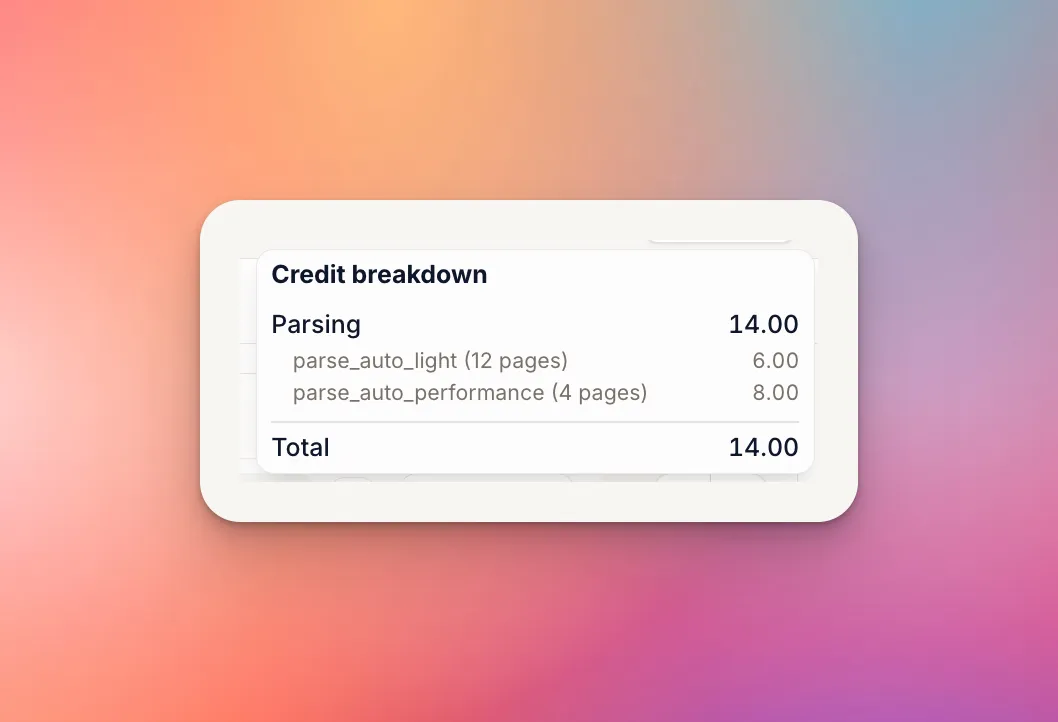
Toggle on in Extend Studio, or set the engine parameter to parse_auto when calling the API.
Edit Upgrades
We shipped a set of major improvements to our Edit and Form Detection product this month:
Async Form Detection API
You can now run form detection asynchronously via the new POST /form_detection_runs endpoint, and fetch results with GET /form_detection_runs/{id} or consume results via webhooks — perfect for large files and high-volume pipelines where a synchronous request isn’t practical.
New Controls Model
When you send flattened PDFs or PDFs without embedded acroforms, our controls model is how we automatically detect and localize form fields, checkbox inputs, radio options, and more.
We just rolled out a new snapshot that we’ve been training internally for the past few months, which is a major upgrade to our previous model, especially on scanned PDFs, skewed PDFs, dense form regions, and other complex layouts
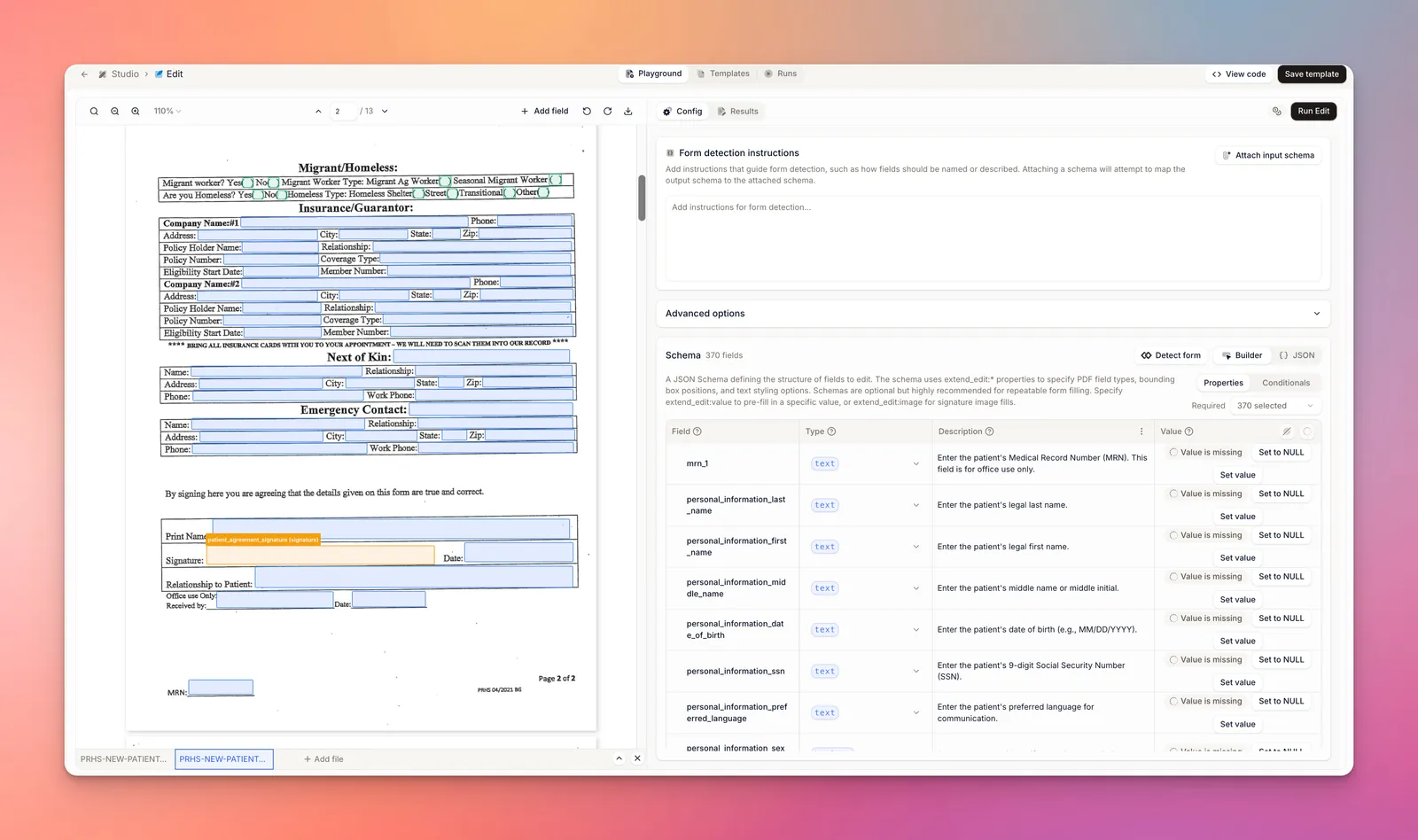
The new model, along with a more optimized VLM step for labeling fields is all released under a new Edit pipeline version: 1.0.0. API calls without a pinned version will use this new version by default.
Conditional Validations via API
You can now generate conditional validations programmatically via the API, making it easy to build forms where field requirements depend on other answers.
Simple enabled this parameter when making requests via API.
Extend MCP Server
The new Extend MCP server lets AI clients like Cursor, Claude, ChatGPT, and any other MCP-compatible client use Extend directly from chat — parse documents, extract structured data, classify and split files, detect and fill PDF forms, build and run workflows, and more, without writing integration code.
Just connect your client to https://mcp.extend.ai/mcp and complete the OAuth sign-in. The consent flow lets you scope access to specific workspaces and environments.
Full documentation can be found here.
Evals Upgrades
Workflow Evals
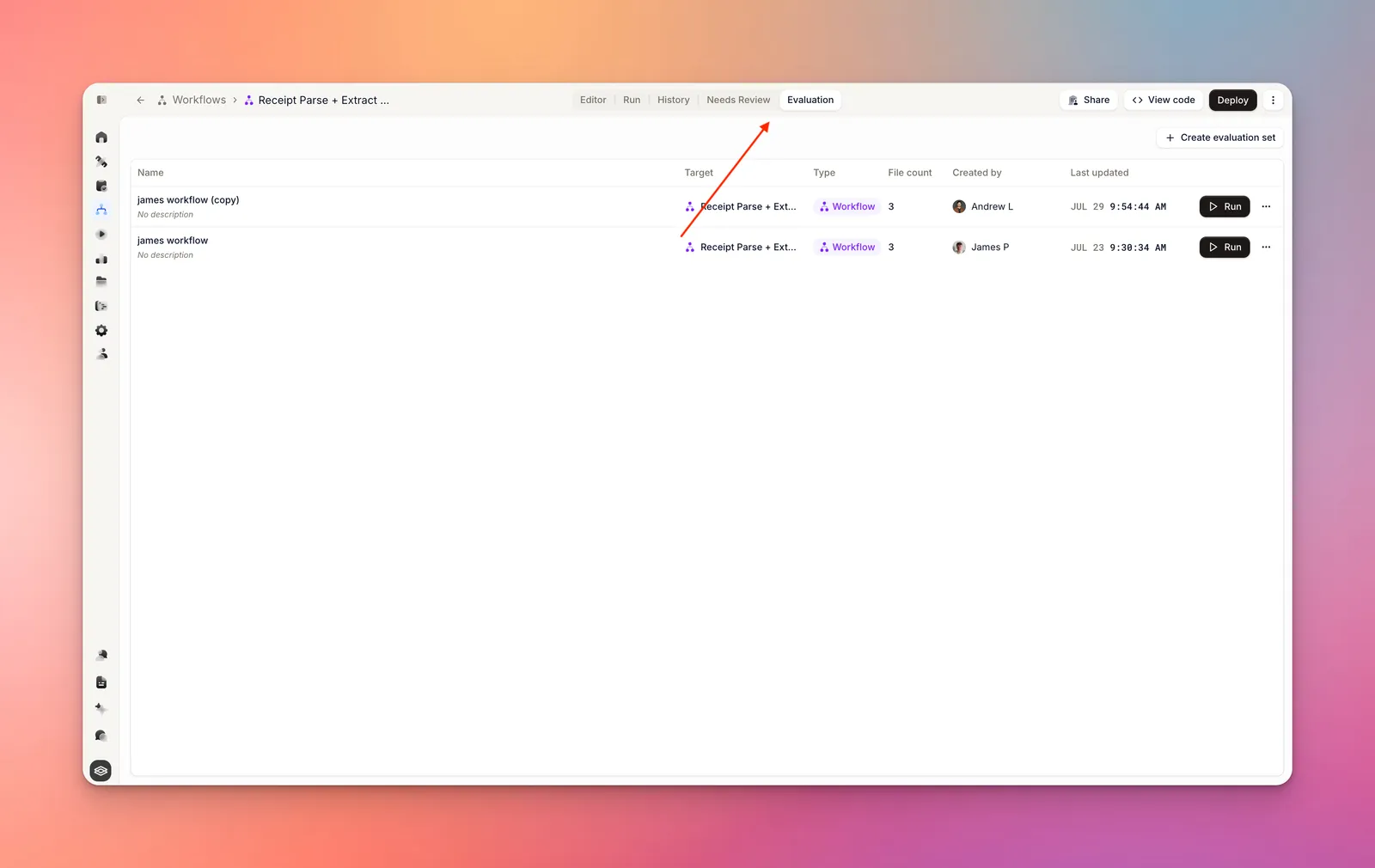
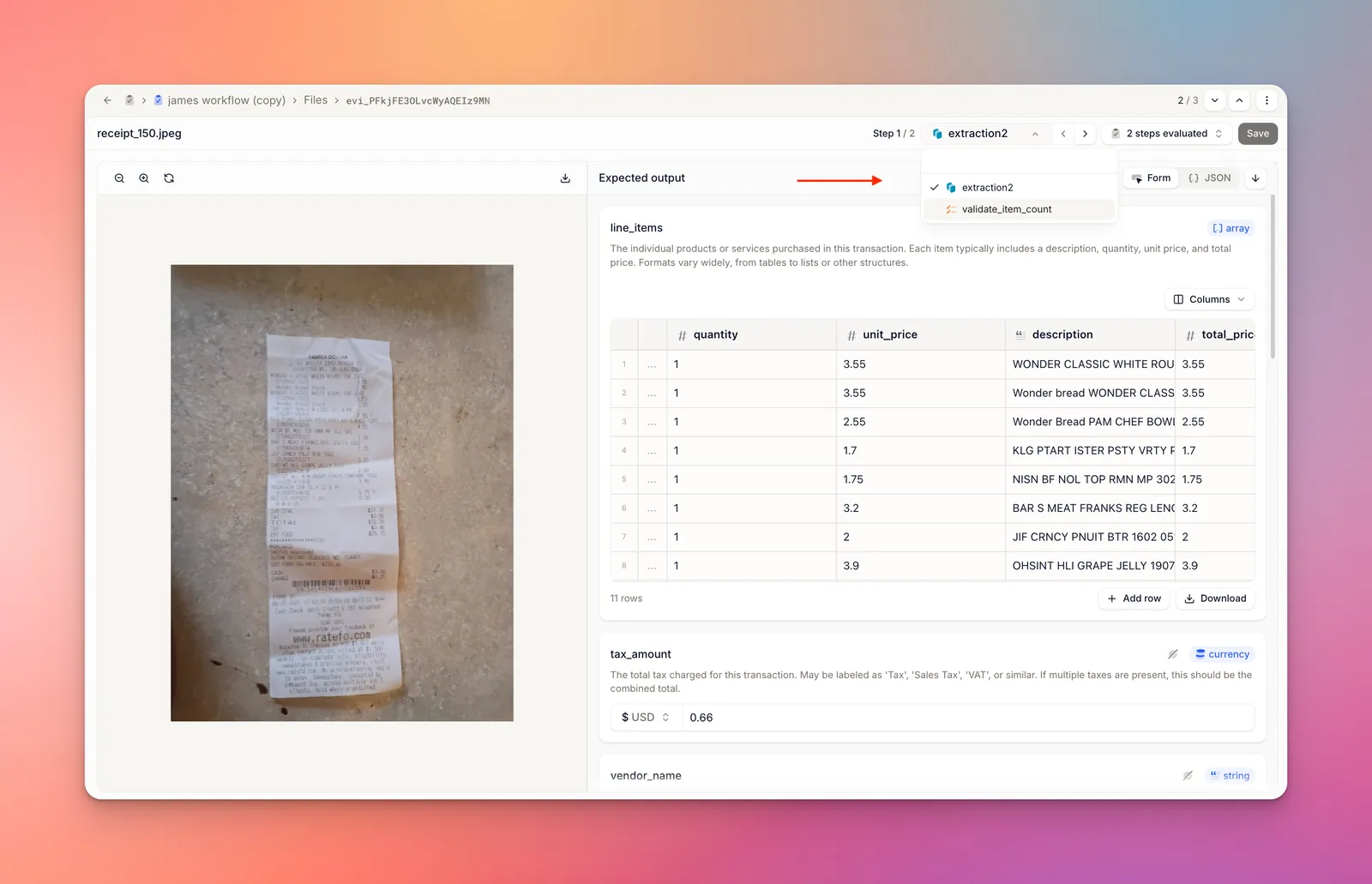
You can now evaluate entire workflows end-to-end, not just individual extractors, splitters, classifiers. Perfect for cases where you want to evaluate the final result of a pipeline, e.g. the final extraction output of a given input document (or documents for multi-file workflows) without needing to independetly build a splitter eval.
When configuring expected outputs, you can set results for every step or just one.
Citations in Evals
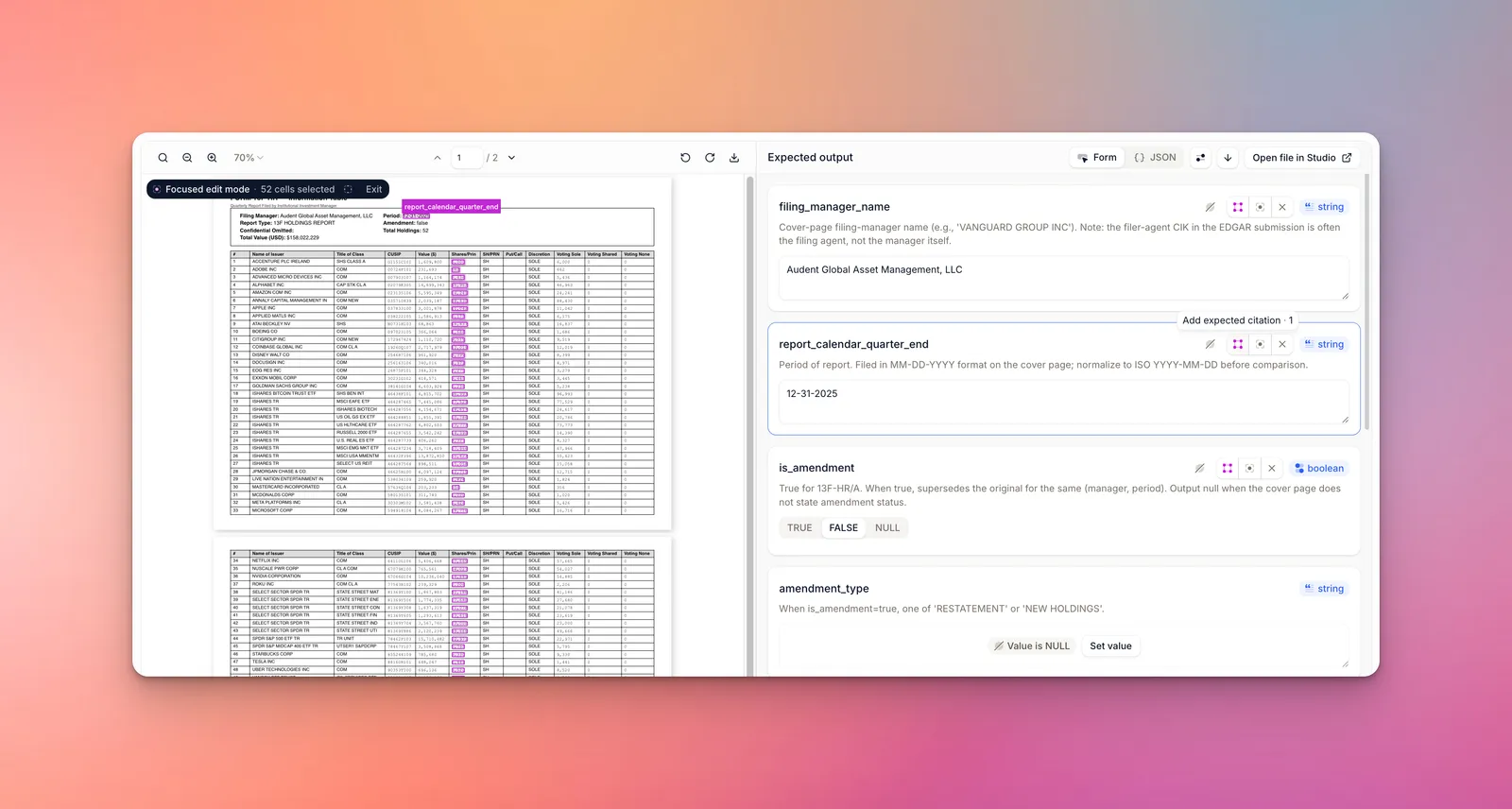
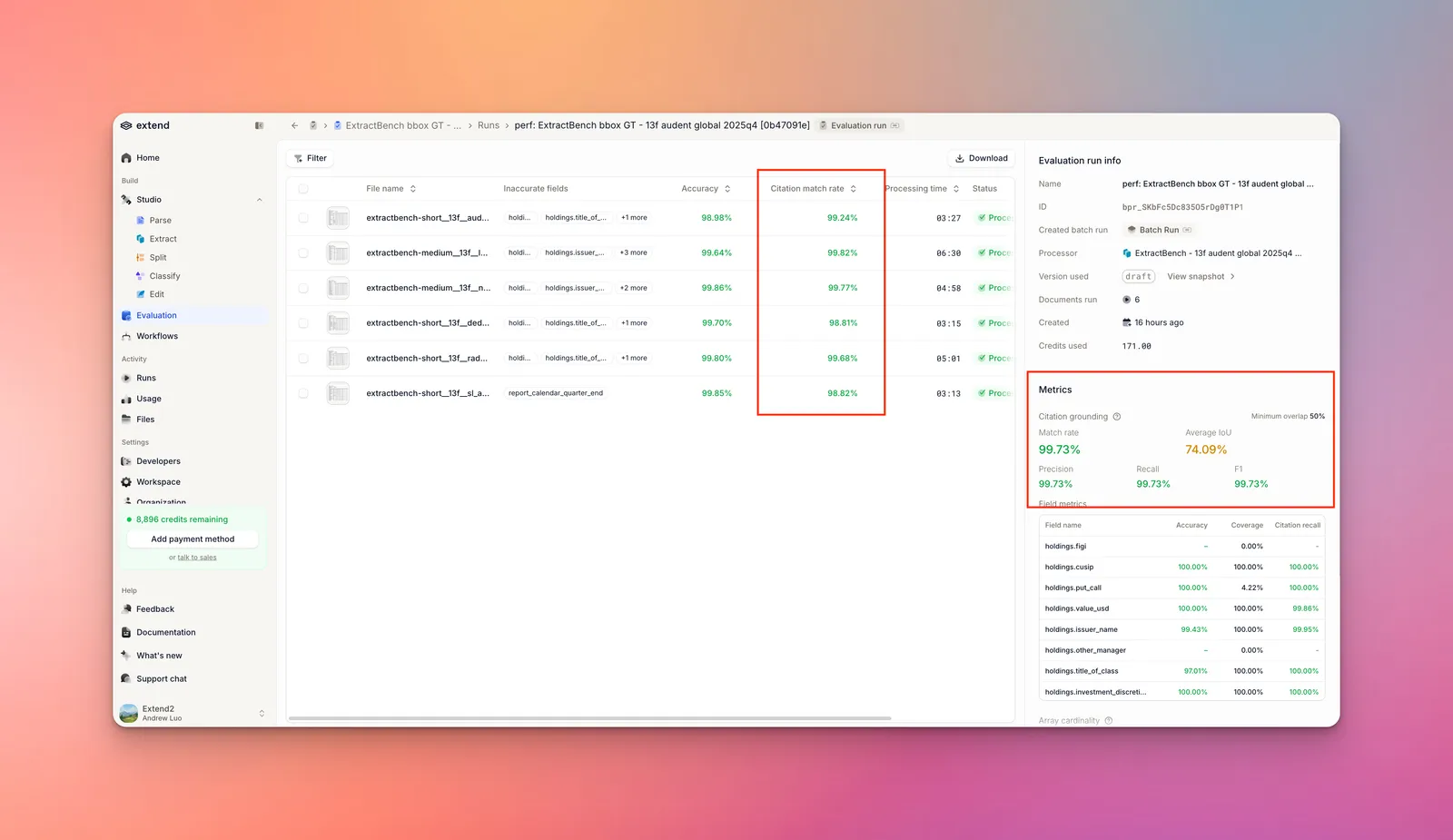
Evals now support citations as a first-class concept:
- Save and correct expected bounding boxes directly in eval results, building up ground-truth citations alongside expected values.
- Bounding box overlap metrics are now reported, so you can quantitatively track citation accuracy across runs and versions.
Other Wins
- New Extend Studio design and onboarding experience — A refreshed dashboard UX and onboarding flow to get you from sign-up to processed documents faster.
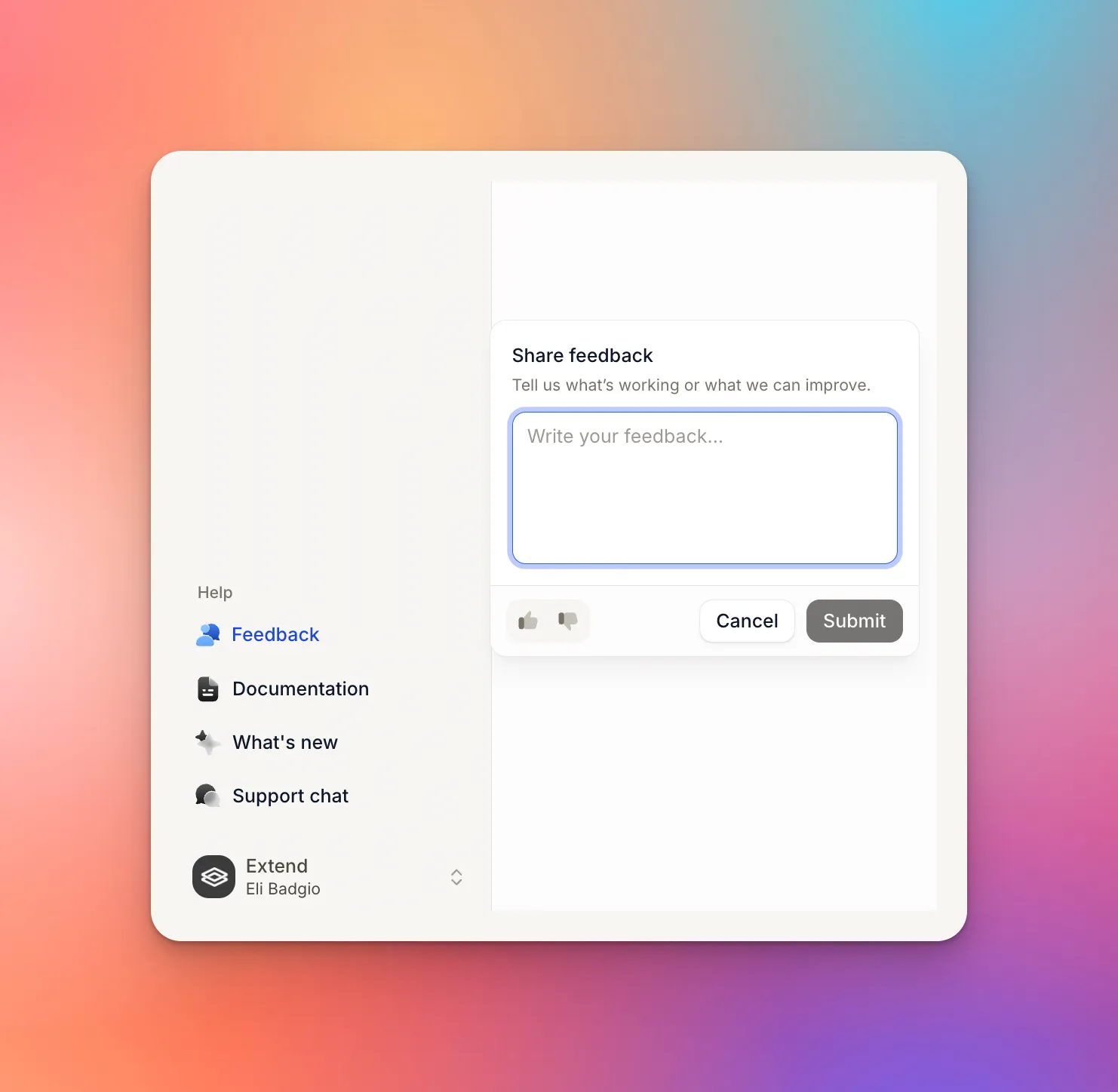
- Feedback collection on runs — You can now leave feedback/rating on any run and also submit general product feedback from Studio.
- Fewer corrupt file errors — Significant improvements to our PDF pre-processing pipeline resulting in fewer runs failing with corrupt file errors that are not actually corrupt.
- Better password-protected file handling — Clearer, more consistent error handling for password-protected files across all supported file types.