

Evaluation Overview
Evaluation sets let you test the accuracy of your document processors reliably and repeatedly. An evaluation set is attached to a processor and holds items: files paired with the output you expect. An evaluation set run scores one processor version against those items and returns accuracy metrics, so you can verify that a configuration change improved results before you publish it. Evaluation sets can also be run against a workflow to score its end-to-end output; the pages below focus on processors.
Evaluation is fully available through the API and in Extend Studio:
Endpoint paths above are for API version 2026-02-09. On 2025-04-21 and earlier, items are managed through POST /evaluation_set_items, POST /evaluation_set_items/{id}, and POST /evaluation_set_items/bulk, and evaluation set runs are started from Extend Studio rather than the API. See the API reference for the version you have pinned.
The evaluation loop
- Create an evaluation set containing examples that represent the range of documents your processor needs to handle. Aim for coverage of layouts, vendors, and edge cases rather than volume.
- Run it against the processor version you are working on (the draft, or a published version).
- Review the results to confirm outputs match expectations and to find common errors. Per-field accuracy tells you which parts of a schema need work.
- Iterate on the processor configuration (field descriptions, rules, base processor) and rerun. Compare runs to confirm the change helped. Composer automates this step using your evaluation sets.
- Publish the improved version once the set passes your bar, and pin it in your workflows.
Evaluation sets and data retention
Your workspace’s data retention policy does not purge evaluation sets, including with zero data retention. Your ground truth stays the same, so runs remain comparable over time.
- Kept: the files in an evaluation set and their expected outputs.
- Purged on your retention schedule: the outputs of evaluation set runs. A purged run keeps its accuracy metrics (overall and per-field), but its per-document outputs are removed.
- Add files before they are purged. A file that has already been purged cannot be added to an evaluation set. With zero data retention, add files within 24 hours of upload.
- Removing files. When you remove a file from an evaluation set, or delete the set, the file is no longer protected and follows your retention policy again, unless it is still in another evaluation set.
In Extend Studio
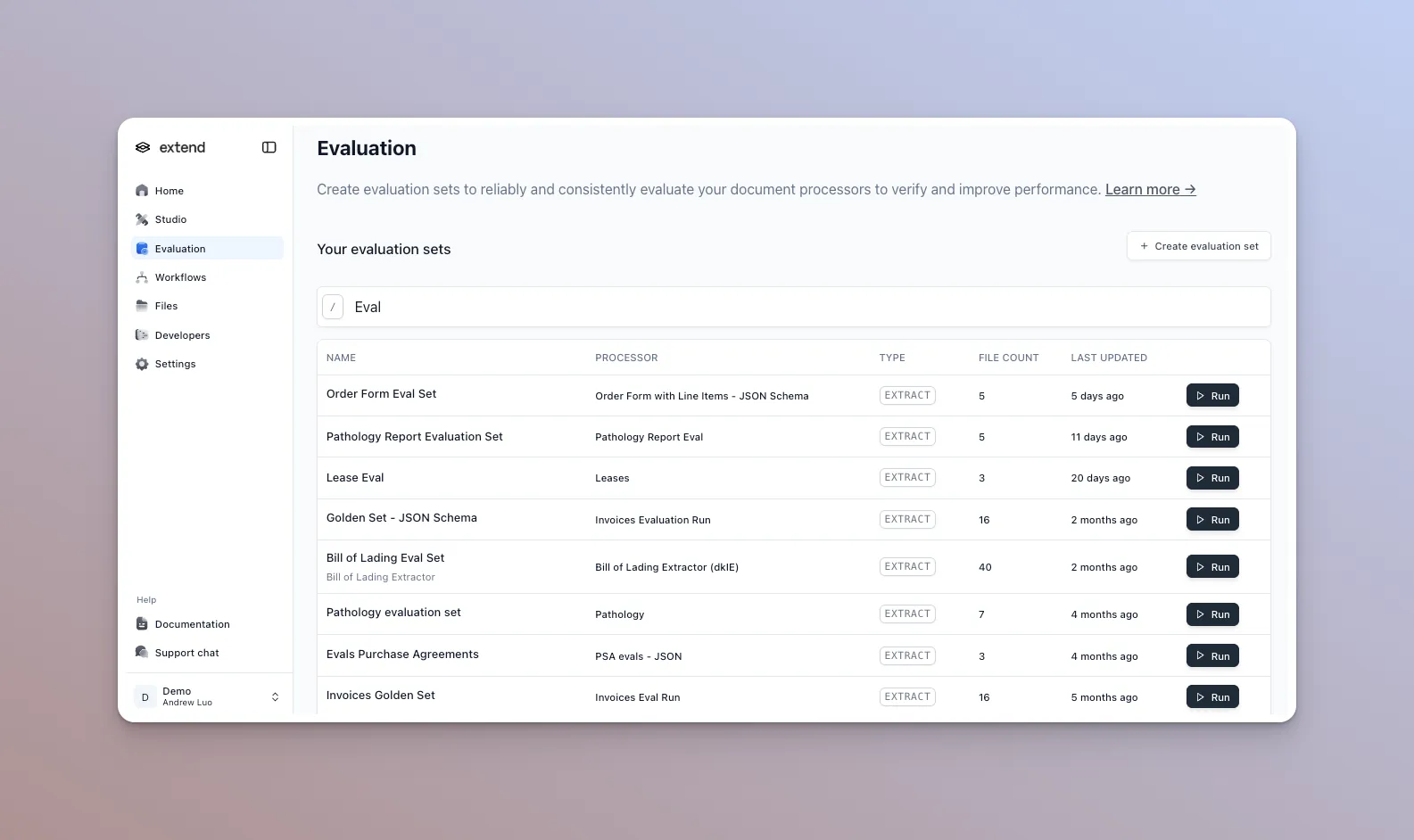
The Evaluation page in the Studio section lists your evaluation sets with options to create new sets and start runs.
Reference
- Evaluation endpoints: sets, items, and runs
- Processors: the saved, versioned entity a set is attached to
- Calculating Array Accuracy: how tables and lists are scored