

GitHub App Integration
The GitHub App integration lets you manage workflow definitions from a repository. You can import a workflow from a JSON or YAML file, link an existing workflow to a file, validate changes in pull requests, and deploy new workflow versions when the linked branch changes.
Use this when you want workflow changes reviewed in GitHub before they become deployed versions in Extend.
Before you start
You need:
- An Extend workspace where you can create or update workflows.
- Permission to install the Extend GitHub App on the GitHub account or organization.
- A workflow file ending in
.json,.yaml, or.yml.
The file should use the same workflow shape as the Create Workflow Version API. At minimum, it can include a name and a steps array:
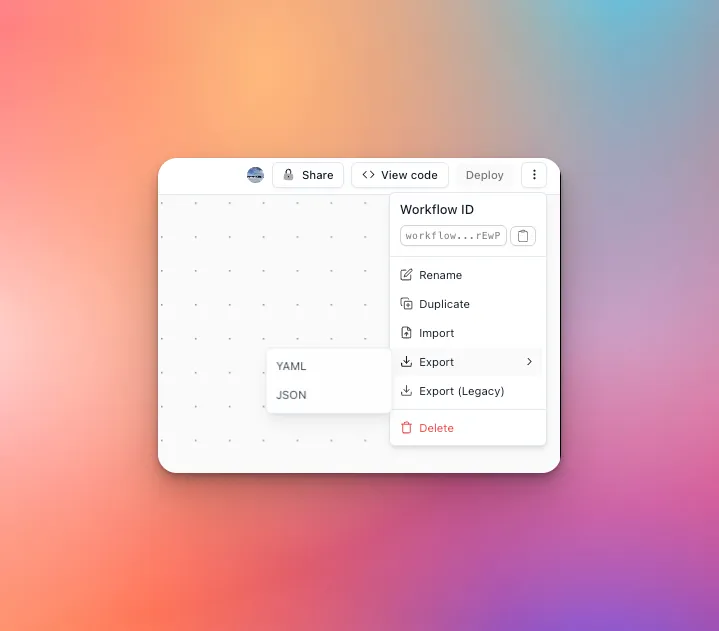
If you already built the workflow in Extend, you can export it as JSON or YAML from the workflow menu and commit that file to your repository.
EXTRACT, CLASSIFY, and SPLIT steps can embed their processor configuration inline (extractorConfig, classifierConfig, splitterConfig) instead of referencing a saved processor by ID. A fully inline workflow file contains no workspace-specific processor IDs, so the same file validates and deploys against any workspace — useful when the same repository manages workflows for multiple environments. See Saved processors vs. inline configs.
For the full step reference, see Configuring Workflows.
1. Link an existing workflow
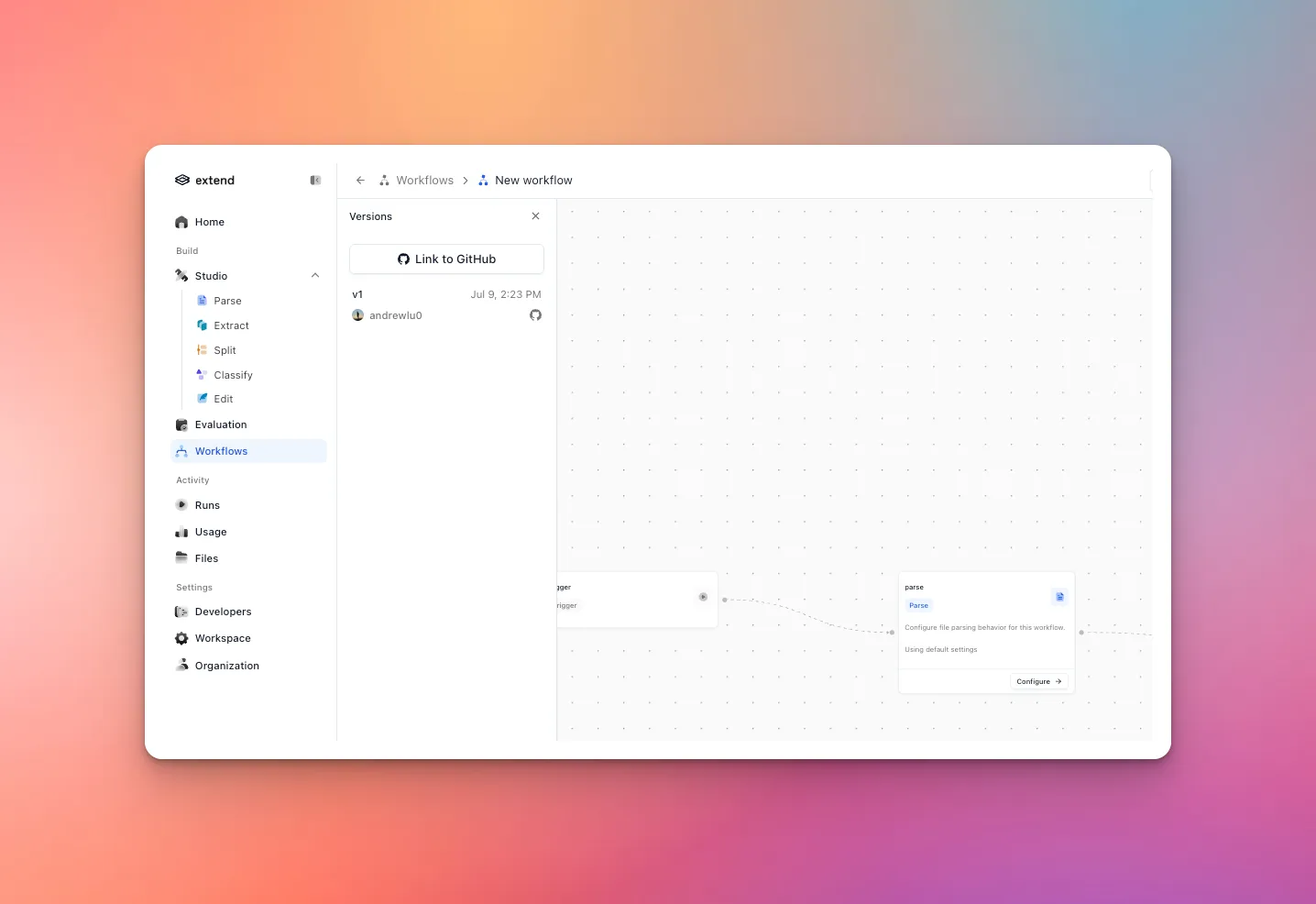
Start from the workflow you want GitHub to manage. Click the versions button in the bottom-left of the workflow builder to open the workflow version side panel, then click Link to GitHub.
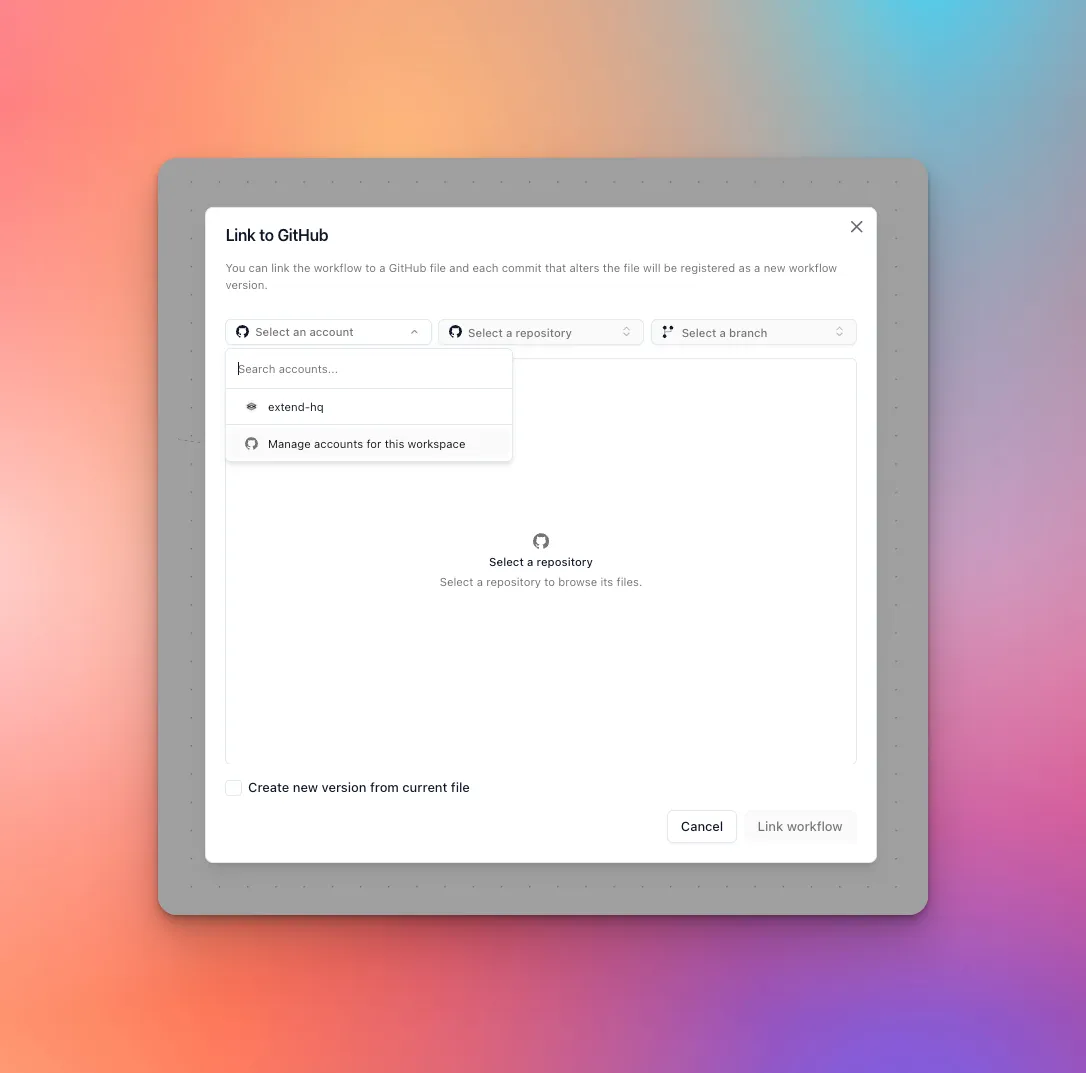
If no GitHub account is connected, choose Manage accounts for this workspace. GitHub opens in a new window and asks which account and repositories the Extend GitHub App can access.
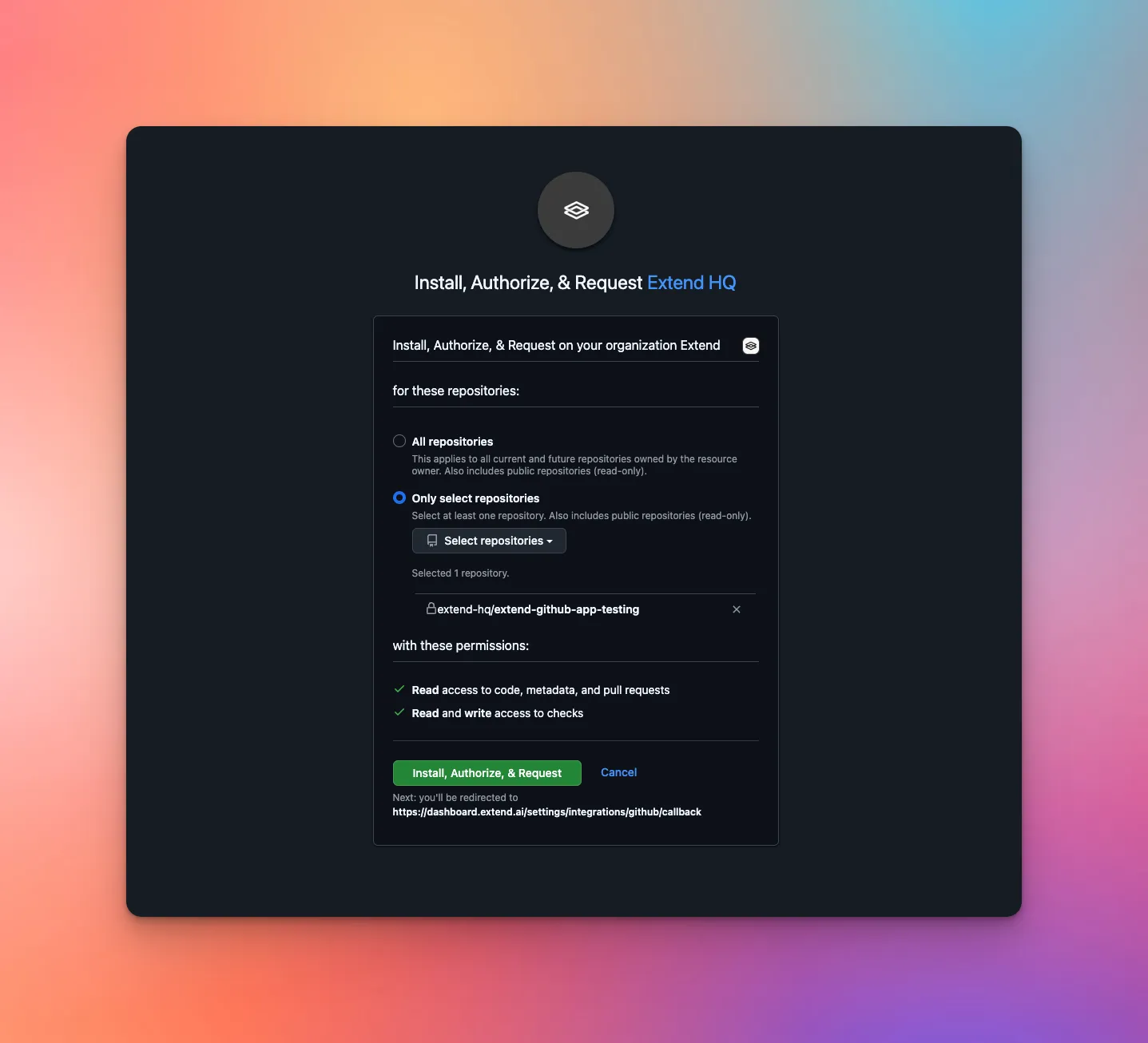
On GitHub, choose whether Extend can access all repositories or only selected repositories, then approve the installation.
After installation, return to Extend. The connected GitHub account appears in the account selector.
The GitHub App controls which repositories Extend can read. Inside Extend, linked workflow files are stored for the current workspace and workflow.
Select the GitHub account, repository, branch, and workflow file. Optional: check Create new version from current file to deploy the selected file now. Then click Link workflow.
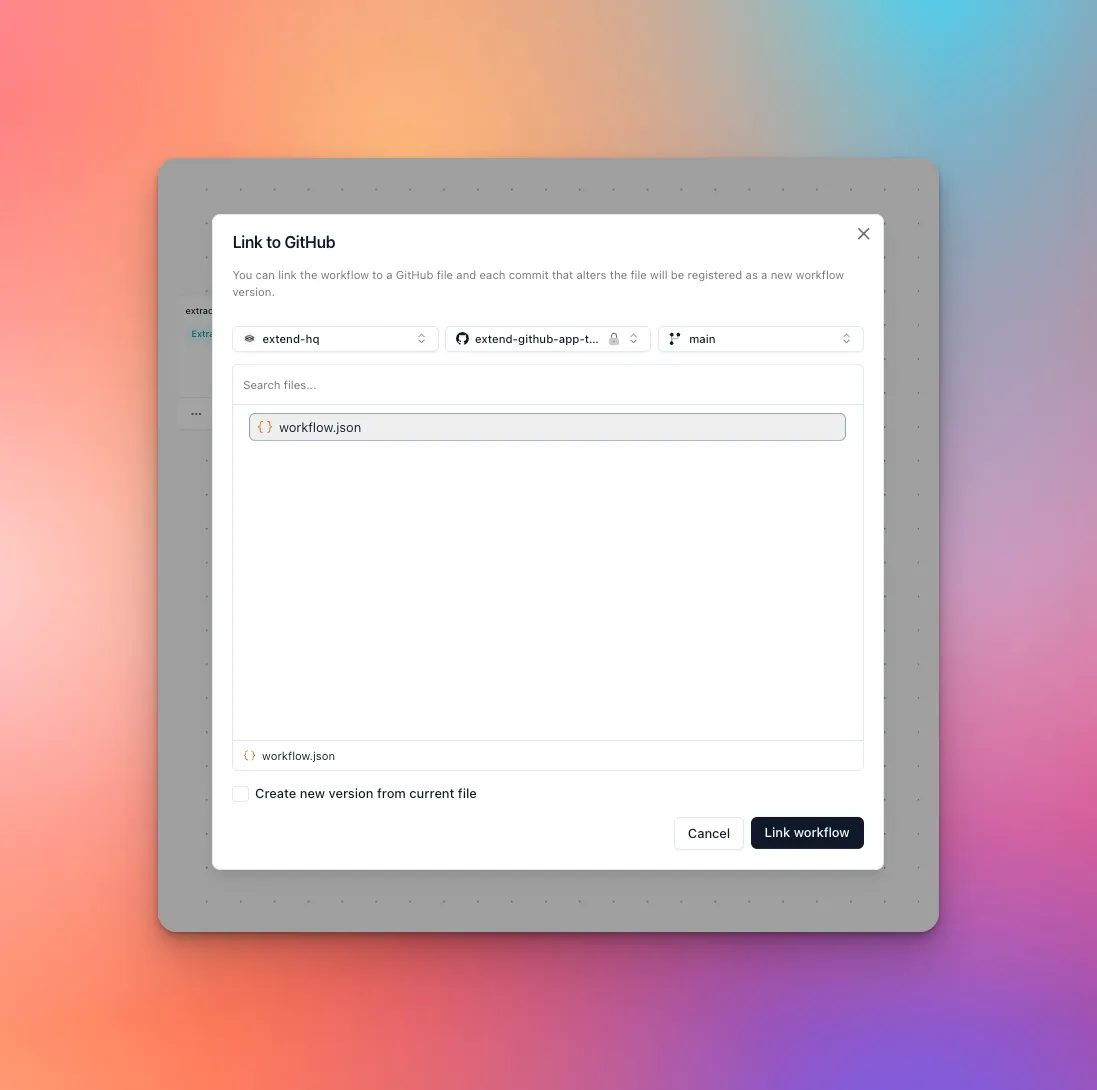
After linking, Extend shows a GitHub indicator on the workflow. The indicator points to the repository file and branch.
Import from GitHub instead
Use import when the workflow should be created from a repository file instead of linking a file to an existing workflow.
- Open Workflows.
- Click New workflow and choose Import from GitHub.
- Select the GitHub account, repository, branch, and workflow file.
- Optional: check Create new version from current file to deploy the imported file immediately.
- Click Import workflow.
Extend validates the selected file. If the file includes valid steps, Extend creates the workflow draft from those steps and links the workflow to that GitHub file. The import flow uses the same GitHub file picker as linking an existing workflow.
2. Validate pull requests
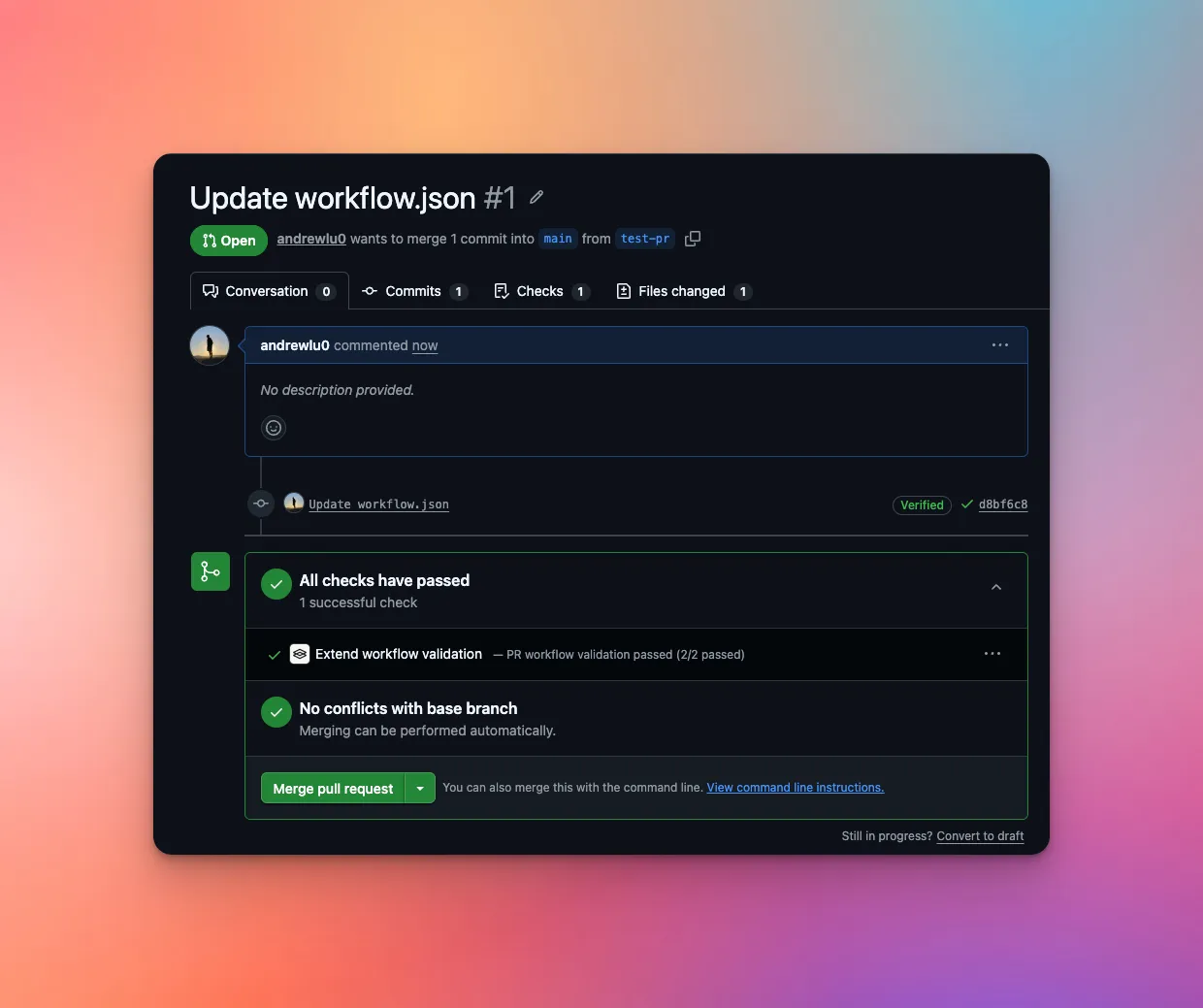
When a pull request changes a linked workflow file, Extend creates an Extend workflow validation check on the pull request.
The check validates the proposed file against the workflow schema and step rules for the target branch. It does not deploy a workflow version.
If validation fails, fix the workflow file and push another commit to the pull request.
3. Deploy from pushes
When a push changes a linked workflow file on the linked branch, Extend validates the file and deploys a new workflow version. GitHub shows an Extend workflow deployment check for the commit.
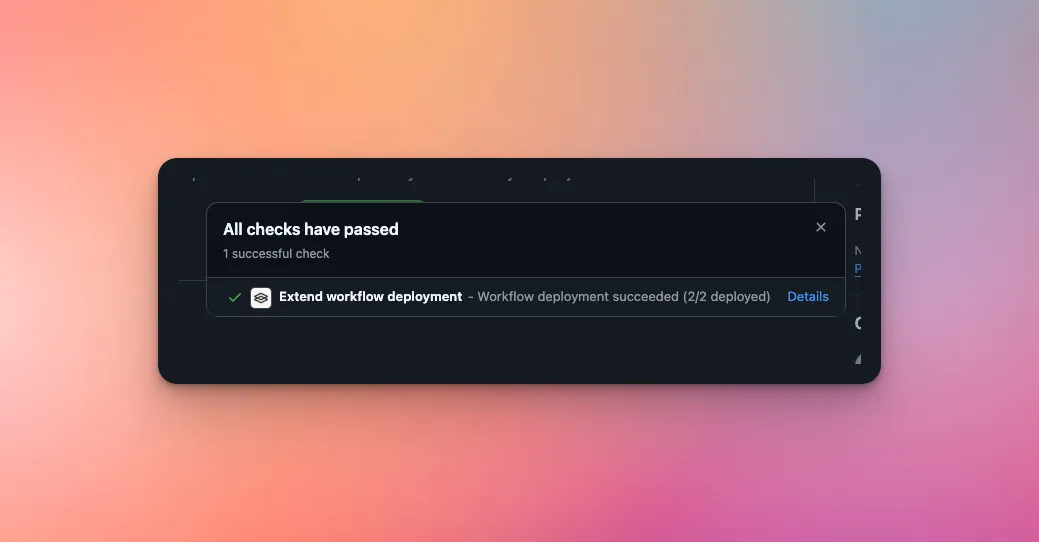
If multiple linked workflow files are changed together, Extend validates them first. A validation failure blocks deployment for the changed linked files in that push.
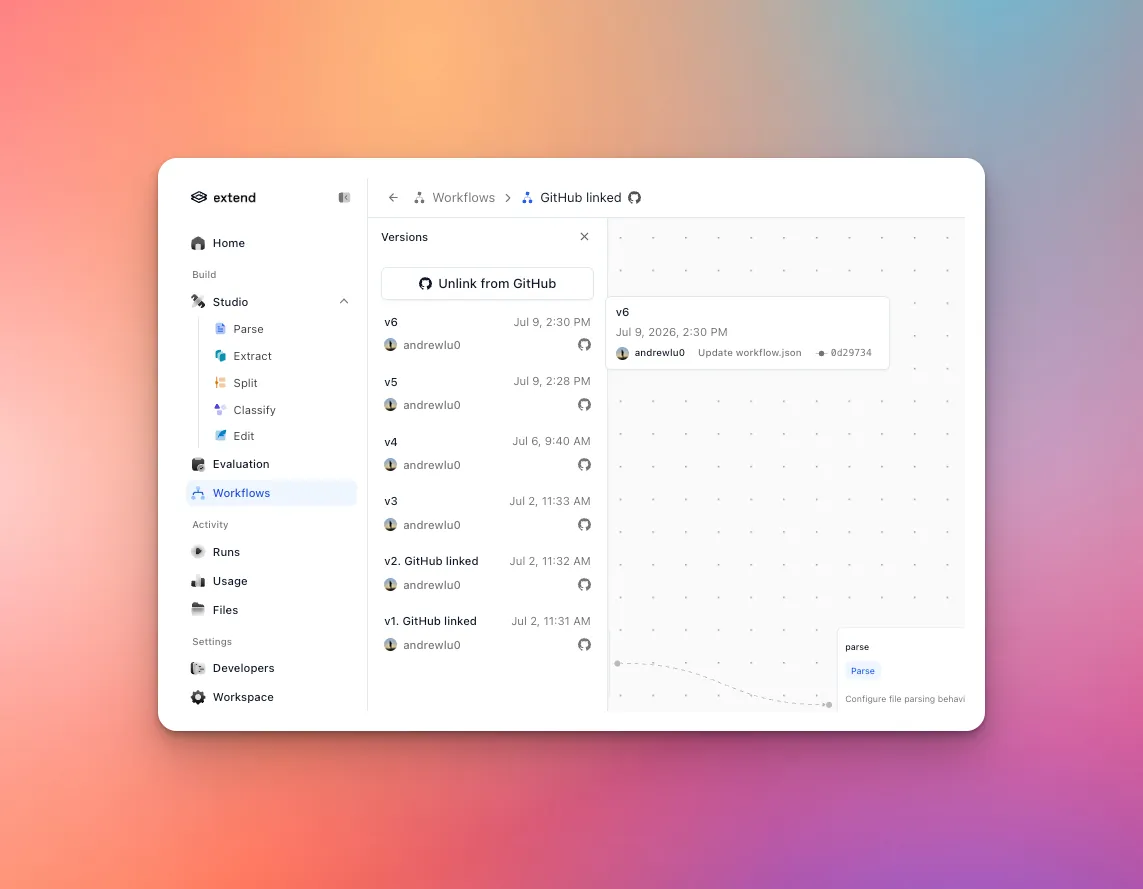
After a successful deployment, the workflow version history in Extend includes GitHub source metadata such as the repository, path, branch, commit, and author.
4. Update or unlink the source
To change the linked file, open Link to GitHub again and select a different repository, branch, or file.
To stop deploying from GitHub, choose Unlink from GitHub on the workflow. Future pushes to that file will no longer create workflow versions for the workflow.
How the integration works
- Extend reads workflow files through the GitHub App installation token.
- Extend only lists repositories and files that the installed GitHub App can access.
- Only
.json,.yaml, and.ymlworkflow files are selectable. - Pull request events run validation checks only.
- Push events on the linked branch can deploy new workflow versions.
- GitHub webhook requests are verified with GitHub’s
X-Hub-Signature-256signature before Extend processes them.