

Validation Step
Validation steps run one or more checks against data produced by earlier workflow steps. Use them to enforce required fields, compare values, assess whether extracted data is plausible, or send a run to a different downstream step when a check fails.
The Validation step described here replaces the legacy formula-based Rule Validation step for new workflows. Existing Rule Validation steps continue to work, but Composer chat does not create or edit them.
How validation works
A Validation step contains an ordered list of blocks. Every block is one of two types:
An unconfigured Validation step has no blocks and passes every run. A code or semantic execution error fails the step instead of treating the block as an ordinary invalid result.
Via the API
Add a step with type: "VALIDATION" to the workflow’s steps array. Define checks in config.blocks and connect the two outcomes with next[].result.
Define the blocks and routes
This step assumes an upstream extractor named extract_invoice produces invoice_number and vendor_name. The code block checks a required field; the semantic block evaluates the vendor name.
Code references upstream values through context.outputs; semantic templates use outputs without the context. prefix. Both use the upstream step’s public name. See Code blocks for single-file and collected-file context shapes, and Semantic blocks for template syntax.
Save, deploy, and read results
- Include this definition in the complete
stepsarray when calling Create Workflow (workflows.create) or Update Workflow (workflows.update). Include the trigger, parse, upstream extraction, and downstream steps, and connect the upstream step tovalidate_invoice. Updatingstepsreplaces the entire draft step list. - To preserve an existing Validation step’s blocks, keep its step name and omit
config. Providingconfig.blocksreplaces its block list;[]clears the list. - Create a Workflow Version (
workflowVersions.create) to deploy the draft. If you passstepsto this endpoint, it deploys those definitions directly without modifying the draft. - Run the workflow, then retrieve the run (
workflowRuns.retrieve). Find thestepRunsentry withstepType: "VALIDATION"andstep.name: "validate_invoice".
The step’s result contains valid and a blocks array. Each block result includes id, name, and valid, with optional reasoning and error. result is nullable for a step run without a result. An ordinary invalid result takes the fail route; an execution error fails the step instead of following that route.
See Validation Step in the step reference for the configuration contract and the Validation pattern for a complete workflow definition.
Via Extend Studio
Build validations with Composer chat
Open the workflow you want to edit in Extend Studio and open Composer in the workflow builder. You need workflow edit access for Composer to change the draft.
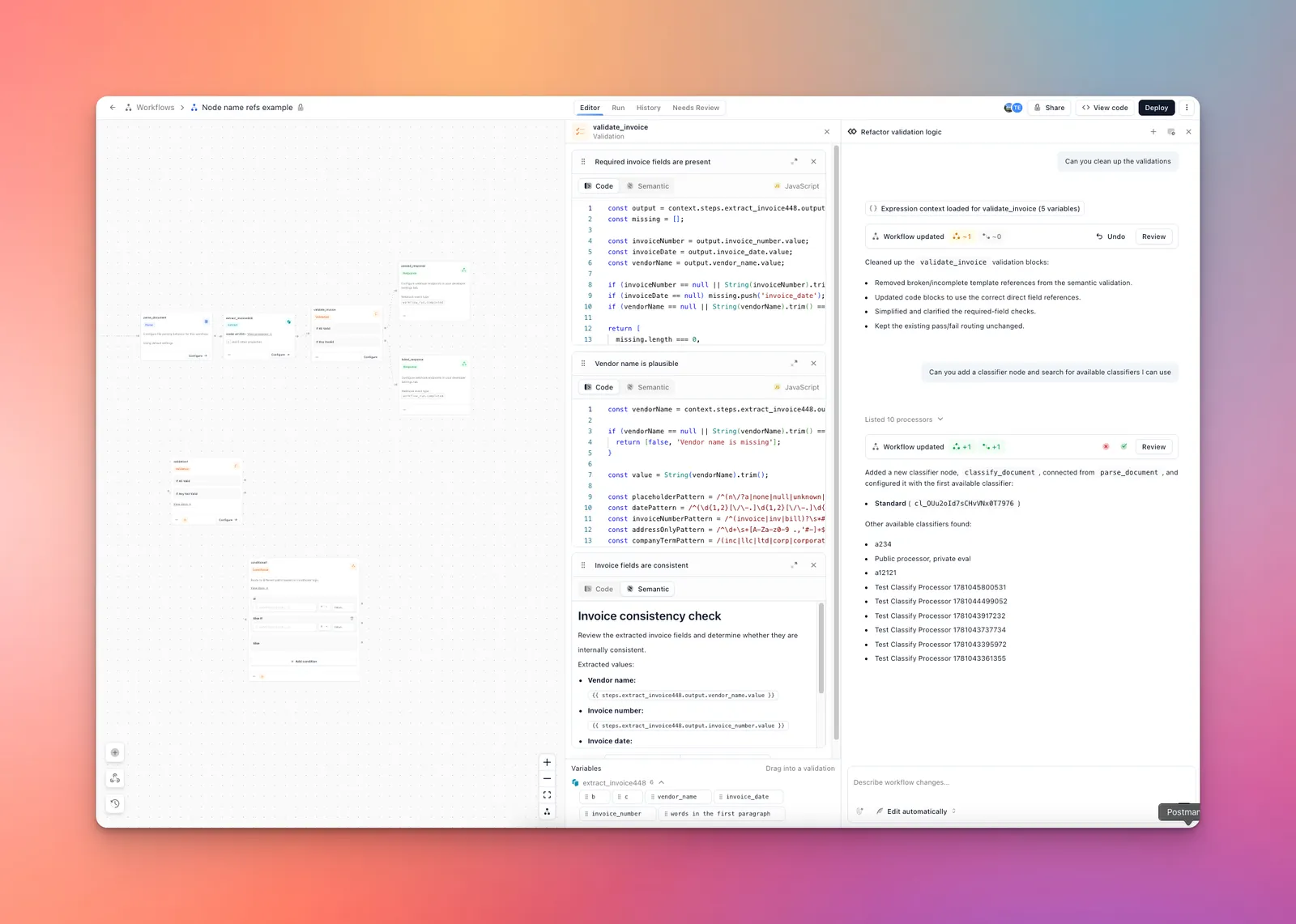
- Start a new chat with +, or continue the current conversation. Composer works on the workflow displayed in the builder.
- Use the mode selector below the message box to choose Ask for approval or Edit automatically. The first mode lets you accept changes before they are applied; the second applies draft changes while Composer works.
- Describe the upstream step, required fields, whether each check should use code or semantic validation, and the destinations for valid and invalid runs. Composer can inspect upstream variables before writing the blocks.
- Inspect the proposed update with Review. Confirm the block contents, upstream references, and If All Valid / If Any Invalid connections. Accept the proposal if you chose Ask for approval; use Undo to revert an applied change.
- Refine the step in the same chat. Composer can add, edit, remove, and reorder individual blocks without replacing the rest of the step.
- Select the Validation node and Configure to inspect the generated code and semantic blocks. Run a representative document, inspect each block’s result, and deploy the workflow when the routes and checks behave as intended.
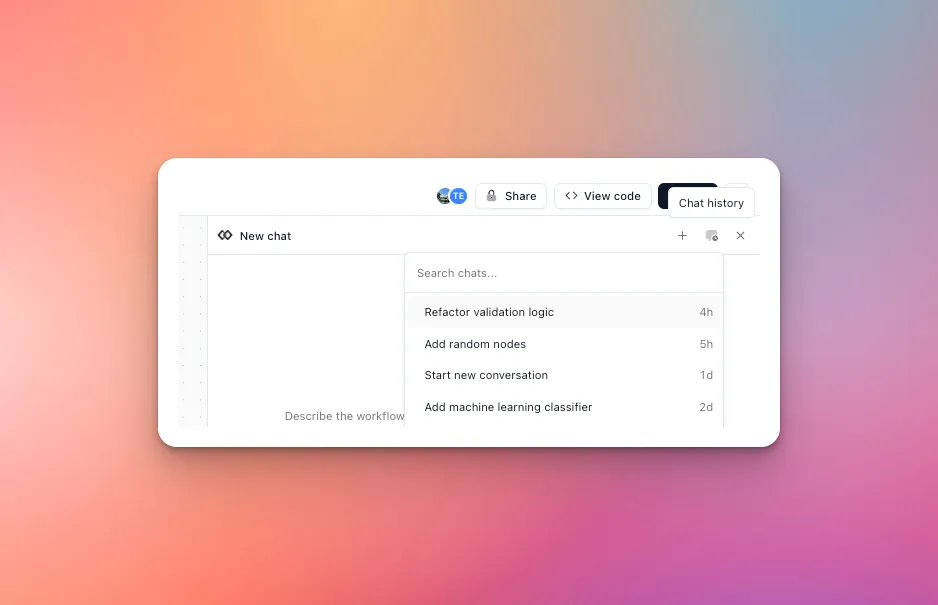
Use the chat history menu to reopen a saved conversation and continue refining the same workflow. See Composer chat for permissions and history.
Add and configure a Validation step manually
- Add a Validation node to the workflow and connect an upstream step to it.
- Connect the If All Valid and If Any Invalid outputs to their downstream steps. For example, send valid runs to a Webhook Response and invalid runs to Human Review.
- Select Configure on the node.
- Add a block, give it a descriptive name, and choose Code or Semantic.
- Use the Variables panel to browse or drag in data from upstream steps.
- Add more blocks as needed and drag them into the order you want. Changes save automatically.
The incoming connection controls when the Validation step runs. A block can reference any supported upstream output, even when that upstream step is not directly connected to the Validation node.
Code blocks
Code blocks run JavaScript in a sandbox with a read-only context object. The editor offers completion and type checking for the variables available at that point in the workflow.
For a single-file workflow, access upstream step data through context.outputs:
You can also read workflow-run metadata through context.metadata. Classification outputs expose label and confidence directly rather than under .value.
When a Validation step runs after a Collect step, context.outputs.<step> is an array with one entry for each file that ran that step. These arrays are not index-aligned with context.files, because routing may skip a step for some files. Use context.outputs.<step> for aggregate checks and context.files[i].outputs.<step> when you need to associate an output with a specific file. A step skipped for a file is undefined, so check for its presence or use optional chaining before reading its fields. The Variables panel reflects the correct shape for the current workflow.
Semantic blocks
Describe what must be true in natural language. Use semantic validation when the decision requires interpretation rather than an exact calculation.
For example:
Type {{ or drag a variable from the Variables panel to insert an upstream value. Variables inside the templates are formatted and queried using JMESPath; they are not the formulas used by legacy Rule Validation steps.
View run results
Open a completed workflow run and select the Validation step. The result shows the overall pass or fail status, the number of code and semantic checks, and the status or reasoning for each evaluated block. If a code block errors, the run identifies the block that failed so you can inspect its configuration.