

Router Step
Router steps send each workflow run down the first branch whose condition matches. Use a Router when the workflow needs more than a pass/fail decision, such as routing invoices by value, document type, region, or exception category.
Use Router for new branching logic. Existing legacy Conditional steps continue to work, but Composer chat does not create or edit them.
How routing works
Each branch has a name and one predicate block. Like a Validation step, that block can use JavaScript code or an LLM-powered semantic check.
Branches run from top to bottom:
- The Router evaluates the first branch.
- If it matches, the run follows that branch and later branches are not evaluated.
- If it does not match, the Router evaluates the next branch.
- If no branch matches, the run follows the Else output. Leaving Else unconnected stops the workflow at the Router.
This makes branch order significant. Put the most specific or highest-priority conditions first.
Via the API
Add a step with type: "ROUTER" to the workflow’s steps array. Each entry in config.branches has a stable id and a code or semantic predicate in block. Connect a branch to its destination with next[].branchId.
Define ordered branches and the fallback
This step assumes an upstream extractor named extract_invoice produces a numeric total and a vendor_name. The first branch uses code to select high-value invoices; the second uses a semantic check to select suspicious vendor names.
Use language: "javascript" for code predicates, and return true, false, or [boolean, "reason"]. A route name is not a valid return value. Semantic predicates use a non-empty semantic.promptText with {{ outputs.<step>.<field>.value }} templates. Both address upstream steps by their public names; see Code branches and Semantic branches for context and template details.
The fallback is implicit: do not add an otherwise entry to config.branches. Add a next entry with branchId: "otherwise" to connect it. If no branch matches and this route is unconnected, processing stops at the Router. A predicate execution error fails the step instead of selecting the fallback.
Save, deploy, and read results
- Include this definition in the complete
stepsarray when calling Create Workflow (workflows.create) or Update Workflow (workflows.update). Include the trigger, parse, upstream extraction, and every downstream step, and connect the upstream step toroute_invoice. Updatingstepsreplaces the entire draft step list. - To preserve an existing Router’s branches, keep its step name and omit
config. Providingconfig.branchesreplaces the branch list and its order. Keep branch IDs stable when renaming or reordering branches. Omittingblockpreserves an existing branch’s predicate; a new branch with noblockreceives a default predicate that returnstrue, so supply a predicate for every new branch. - Create a Workflow Version (
workflowVersions.create) to deploy the draft. Passingstepsdeploys those definitions directly without modifying the draft. - Run the workflow, then retrieve the run (
workflowRuns.retrieve). Find thestepRunsentry withstepType: "ROUTER"andstep.name: "route_invoice".
The step’s result.matchedBranch contains the selected branch’s id and name, or null when no branch matched. result.branches contains only evaluated branches, in order, each with id, name, matched, and optional reasoning or error. Later branches are not evaluated after a match. The entire result is nullable for a step run without a result.
See Router in the step reference for the configuration contract and deployment workflow.
Via Extend Studio
Build a Router with Composer chat
Open the workflow you want to edit in Extend Studio and open Composer in the workflow builder. The same chat panel can build Router branches and Validation blocks. You need workflow edit access for Composer to change the draft.
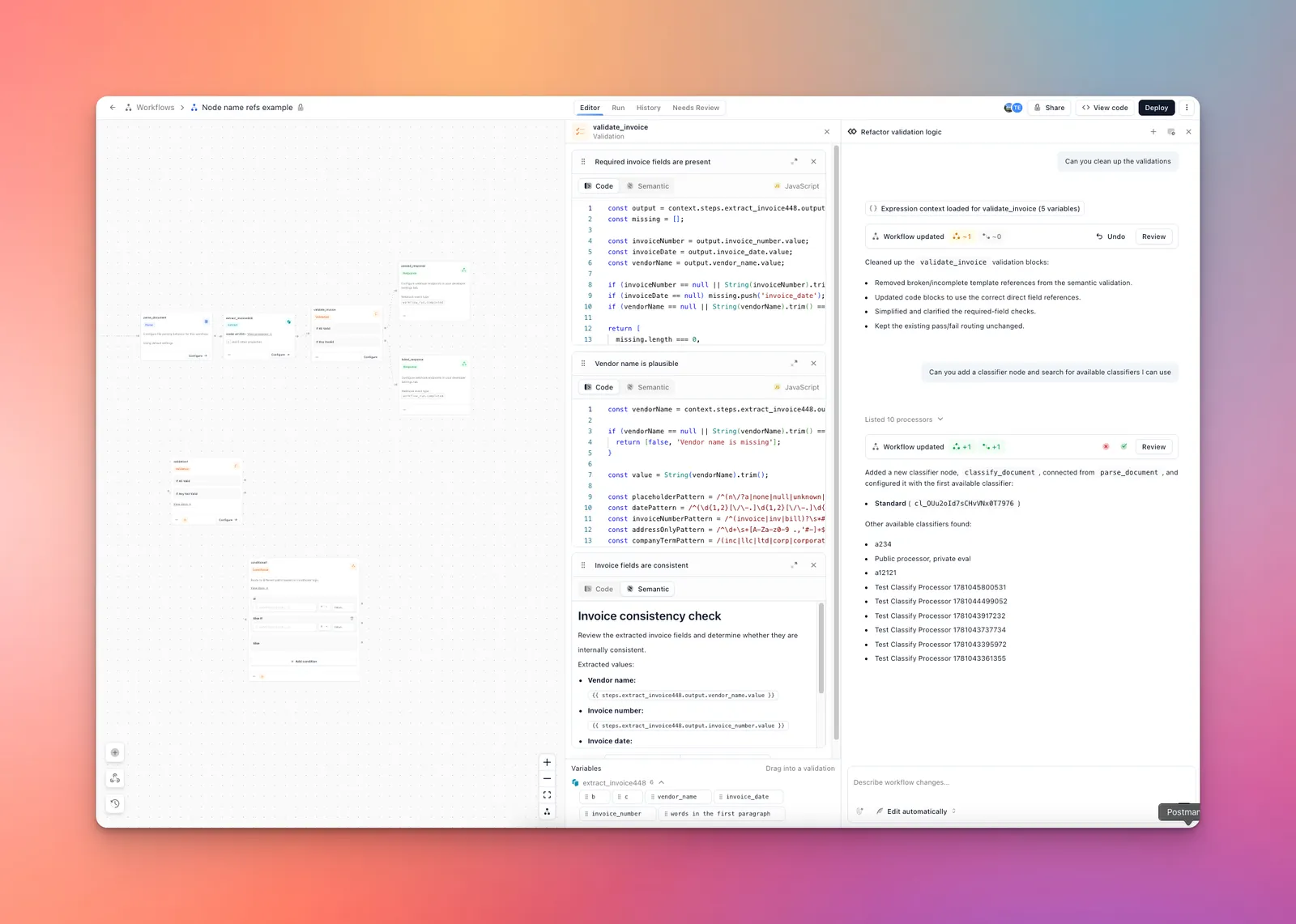
- Start a new chat with +, or continue the current conversation. Composer uses the workflow displayed in the builder.
- Choose Ask for approval or Edit automatically beneath the message box. Ask for approval lets you inspect and accept a proposed update; Edit automatically applies changes to the draft while Composer works.
- Name the upstream step, list the branches in evaluation order, choose code or semantic logic for each branch, and specify every destination, including Else. Name the upstream fields when you know them; Composer can inspect the available variables.
- Open Review on the proposed update. Confirm the predicates, branch order, branch connections, and Else destination. Accept the proposal if you chose Ask for approval; use Undo to revert an applied change.
- Refine individual branches in the same conversation without rebuilding the Router.
- Select the Router node and Configure to inspect the generated predicates. Test documents that match each branch and one that matches neither. Inspect the selected route before deploying the workflow.
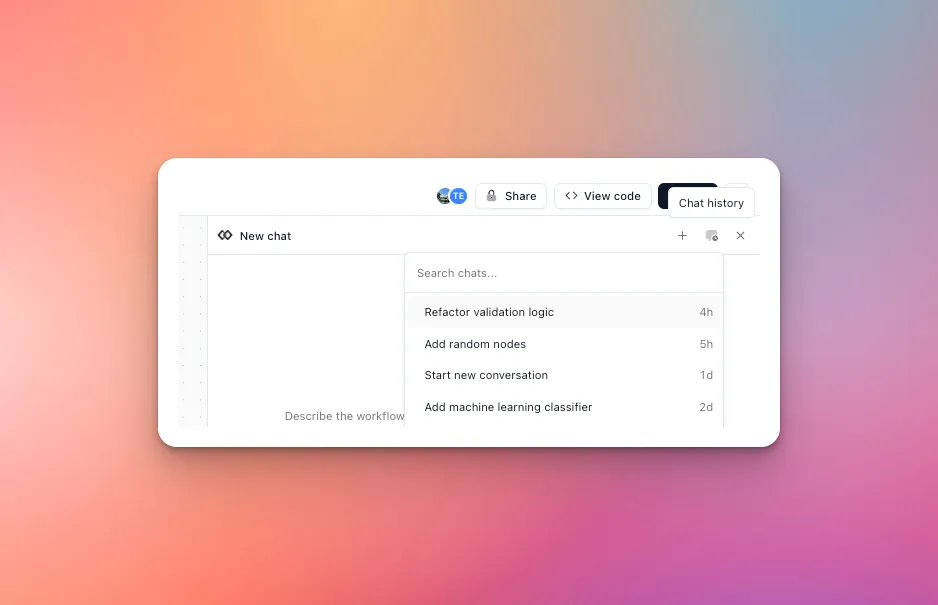
The chat history menu lets you reopen a saved conversation to continue edits. See Composer chat for permissions, approval modes, and history.
Configure branches manually
- Add a Router node and connect an upstream step to it.
- Select Configure.
- Name the first branch, choose Code or Semantic, and define when it should match.
- Select Add branch for each additional route.
- Drag branches into evaluation order.
- On the workflow diagram, connect each named output and the Else output to downstream steps. Changes save automatically.
Code branches
Return true to select the branch or false to continue to the next branch. Return [boolean, "reason"] to include an explanation in the run result.
Router code predicates accept boolean results only. Do not return a route name from the code—the matching branch already determines the route.
Router code uses the same context shape as Validation code blocks. In a multi-file workflow after a Collect step, use context.outputs.<step> for aggregate checks and context.files[i].outputs.<step> to associate an output with a specific file. The aggregate output arrays are not index-aligned with context.files, because routing may skip a step for some files.
Semantic branches
Write a yes-or-no criterion and optionally insert upstream values with {{ }} templates. Variables inside the templates are formatted and queried using JMESPath.
A yes result selects the branch. A no result continues to the next branch.
View run results
Open a completed workflow run and select the Router step. The result shows the selected route and each branch that was evaluated before the match. Code reasons and semantic reasoning appear with their branch results. If no branch matched, the result shows that the run followed Else.