

Operator
Operator is our most advanced extraction base processor, alongside Performance and Light. It puts an extraction agent in charge of the run: an agent that can plan, write and run code, inspect pages, and verify its own work before submitting a result.
How a run is handled
Operator decides per document how much of the work the agent does:
- Complex, table-heavy documents are extracted by the agent directly, replacing the chunked extraction pipeline.
- Other documents are first run through Extraction Performance with confidence scoring enabled. If any field has a confidence score of 3 or below, the document is handed to the agent to detect and correct the issues.
Managed settings
Operator owns several extractor settings and manages them for you. This includes the following:
- Review agent
- model reasoning insights
- Advanced multimodal
- Array strategies
- Chunking options
In Studio these controls are locked when the Operator base processor is selected. In the API, any values you send for them are saved on the extractor but ignored at run time in favor of the managed values.
Latency
By nature, the latency for Operator is more variable than Light or Performance extraction. In general, latency scales with the difficulty of the task, not the size of the extraction. In some cases, Operator can be both far cheaper and faster than Performance extraction, especially when dealing with large tables. Cases with high visual complexity or documents with poor readability may take longer for the agent.
Enabling Operator
In Studio
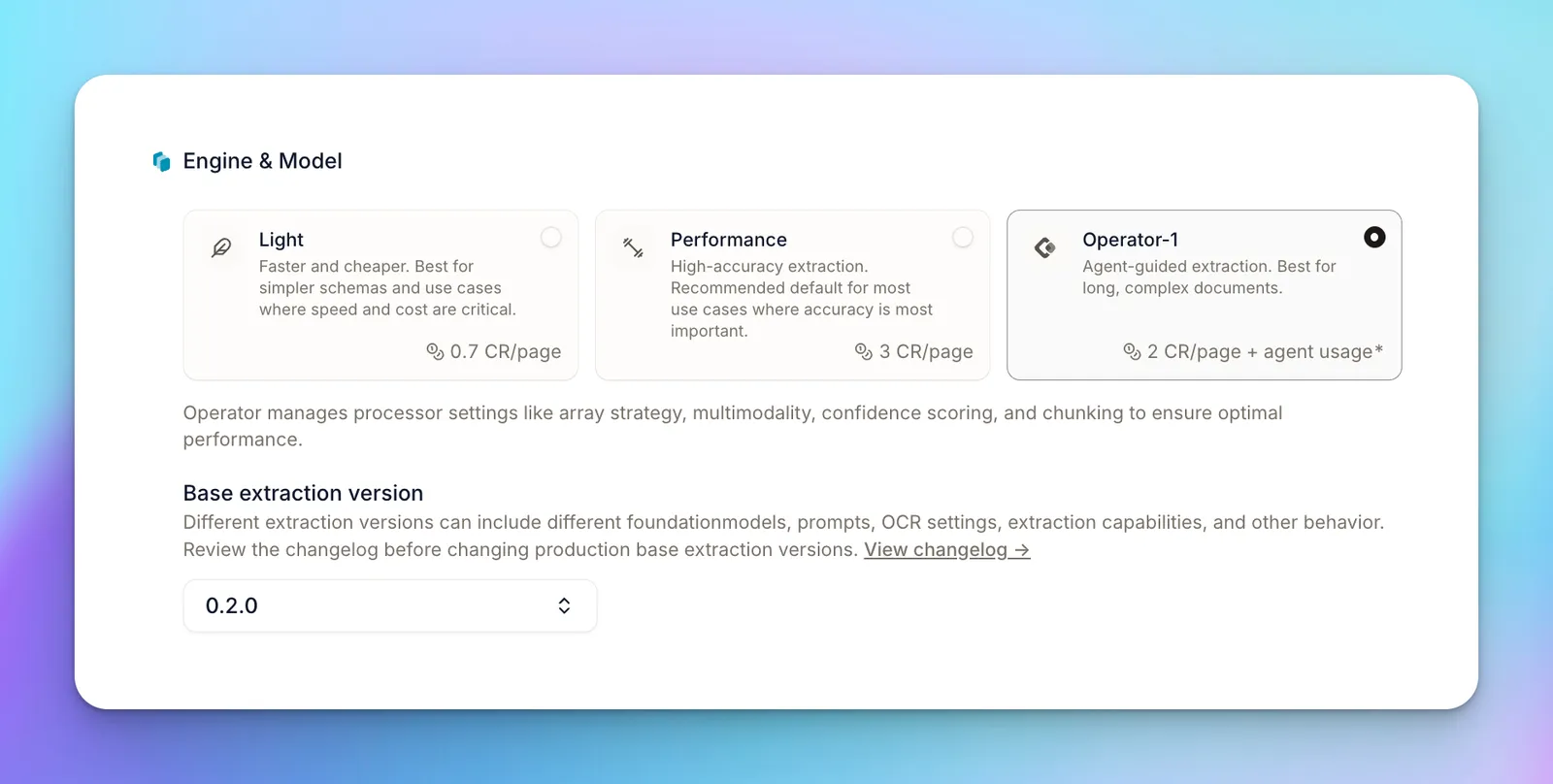
Open your extractor’s settings and choose Operator as the base processor. Studio will lock the managed settings listed above. The credit estimate updates to show the Operator page rate plus a variable Agent usage line.
Via the API
Operator is selected with the baseProcessor field of an extractor’s config, using the value "extraction_operator".
Create an Operator extractor
The saved extractor echoes the configuration you sent; managed settings are not filled in on it. They are applied when a run is created, so each run’s config shows the effective configuration, including the managed settings.
Run it
Once the extractor is saved, create runs the same way as any other extractor—POST /extract_runs, POST /extract, POST /extract_runs/batch, or as a workflow step. Nothing about the run request changes.
Escalate a single run through overrideConfig
extraction_operator can also be selected per run, through overrideConfig on POST /extract, POST /extract_runs, and POST /extract_runs/batch. This escalates that one run to Operator without changing the saved extractor:
The same managed settings are applied to the run, and the run is billed as an Operator run. As on the extractor, omitting baseProcessor from the override leaves the extractor’s saved processor alone, while sending "extraction_performance" or "extraction_light" de-escalates that run off Operator.
Reading agent usage on a run
A run’s usage.credits is the total for the run. On the 2026-02-09 API version, you can see how much of that was agent usage by inspecting usage.breakdown[].charges[] and looking for product: "agent_usage". See Operator Pricing for a worked example.
When to use it
Use Operator for:
- Bank statements, ledgers, and transaction histories with hundreds or thousands of rows
- Long schedules, rent rolls, inventories, and bills of materials
- Any document where totals, counts, or cross-field arithmetic must reconcile
- Documents where the base pipeline’s large-array strategies still miss or duplicate rows at page boundaries
Stick with Performance or Light for:
- Short documents and forms with mostly scalar fields
- Latency-sensitive workflows: agent runs can take many minutes on long documents