

Human Review
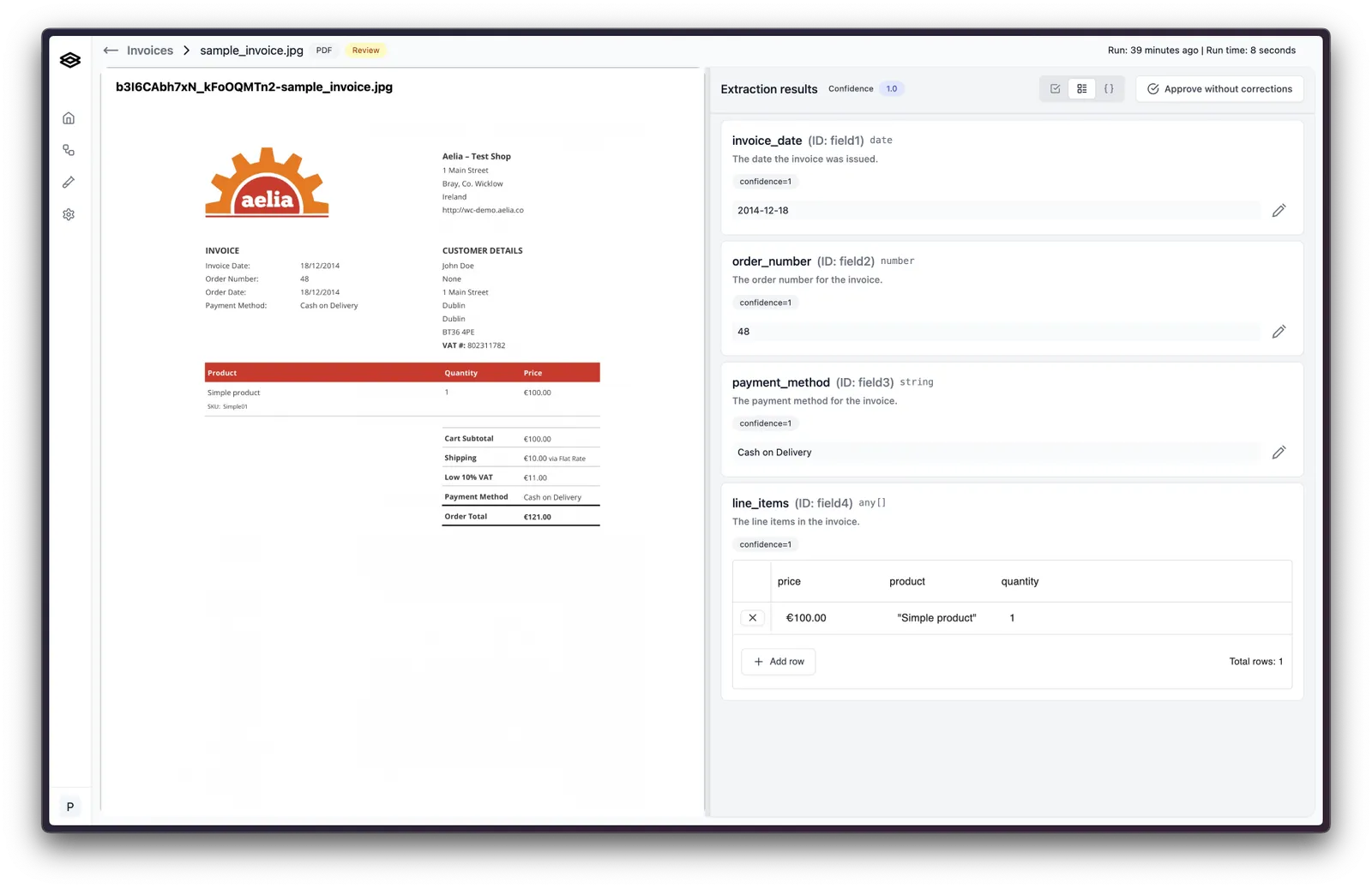
Human Review is a workflow step that pauses a run and places it in a review queue in the Extend dashboard. An operator inspects the extracted, classified, or split output beside the source document, corrects anything that is wrong, and approves or rejects the run. Only after approval does the workflow continue to downstream steps such as a Webhook Response.
Use it as the human-in-the-loop safety net for accuracy-critical pipelines: send the runs that need a person to a person, and let everything else flow straight through.
What the review step does
- Pauses the run. The workflow run status becomes
NEEDS_REVIEWand the run appears in the workflow’s review queue. - Shows operators the evidence. The review page renders the document on the left and the step outputs on the right, with citations that highlight where each value came from, confidence scores, and any issues raised by the Review Agent.
- Lets operators fix, approve, reject, or re-classify. Corrections are saved on the run, rejected runs never reach downstream systems, and re-classifying restarts the run from the classification step. See Reviewing a Workflow Run for the operator walkthrough.
- Records what changed. Reviewed step outputs carry
reviewedandeditedflags plusinitialOutputandreviewedOutput, so your systems can tell machine output from operator-corrected output. Operator explanations feed evaluation and tuning.
Add a Human Review step
In Extend Studio, drag a Human Review step onto the workflow canvas and connect it between the steps that should be reviewed and the steps that should run after approval.
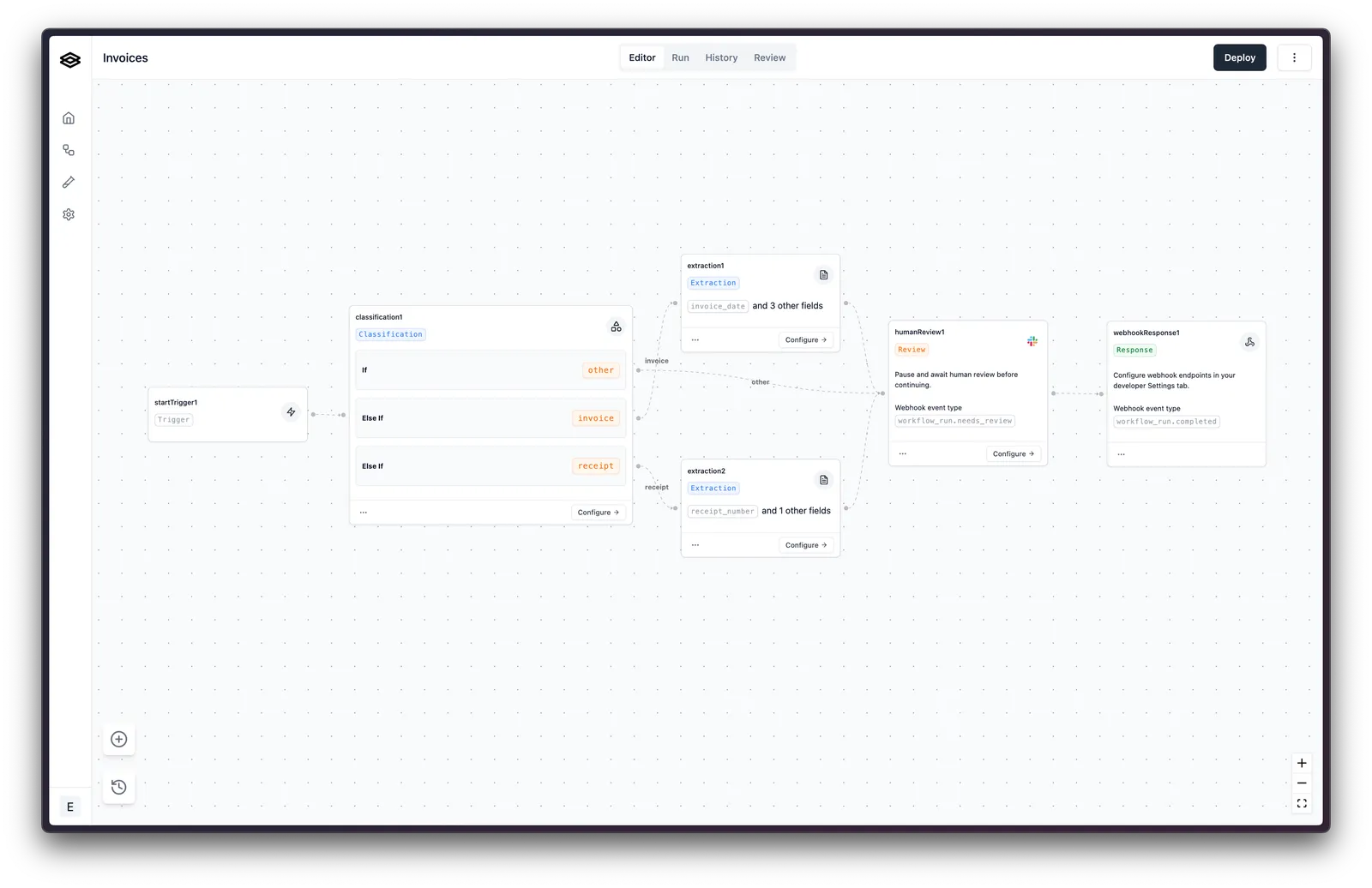
In a workflow version definition, add a step of type HUMAN_REVIEW:
The step has no configuration of its own. What gets reviewed is determined by the steps that feed into it, and who gets to review is governed by user roles and permissions in your workspace.
Route only the runs that need a person
Sending every document to review works, but most teams review a fraction of runs. Common routing patterns:
Consume the outcome from code
Review happens in the dashboard; there is no API to approve or reject on an operator’s behalf. Your integration reacts to the run’s state:
- Detect that a run is waiting by polling for status
NEEDS_REVIEWor by subscribing to theworkflow_run.needs_reviewwebhook event. - When the operator approves, the run completes and
workflow_run.completedfires with the corrected output. Rejected runs emitworkflow_run.rejectedinstead. - Read the final result with Get Workflow Run. Step outputs that were reviewed include
reviewed: true,edited,initialOutput, andreviewedOutput.